Amp Mods · Blues Jr. Made in Mexico Mods
Blues Jr Straight Six mods MIM
Parts
- 80mm lead × 8
- Wima .1uf 10mm cap
- Wima .022 10mm Cap
- Wima Cap .047 10mm
- .047 axial cap 400v min.
- .0056 5600pf cap 63v min.
- 220p cap 400v min.
- .001uf 1000pf cap 400v min.
- 470 ohm resistor
- 4.7k 2W resistor
- 18k resistor
- 22k 1W resistor
- 220k 1/2 Watt Resistor × 2
- 2.2uf cap 25v min.
- 22uf cap 25v min.
- 8uf axial cap 450v min
- 16uf axial cap 450v min
- 40uf or 47uf axial cap 450v min × 2
1
Blues Jr Straight Six Mods and Tube Board install
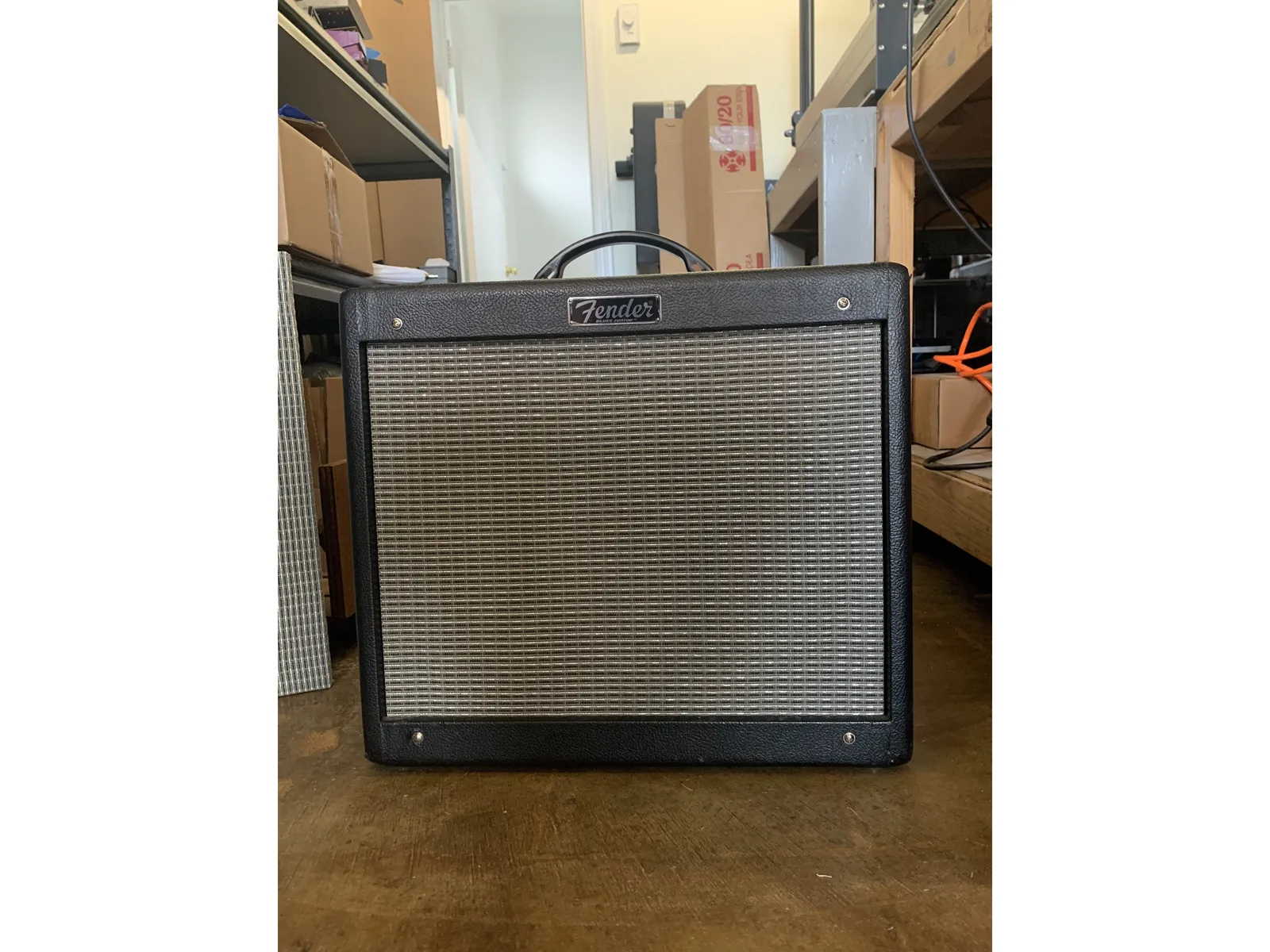
- Welcome to the place for getting amazing vintage 60s Fender tones from your Blues Jr! This kit will modify the circuit to very close to a 60's Fender circuit.
- In fact this mod was designed to give you tones just like a vintage black panel amp with the tone controls set to the"Magic Six" settings with the treble, middle, and bass on your BJ set halfway up - Straight Six!
- WARNING Performing these modifications WILL void the warranty on your amp. Working on amps can be DEADLY if you don't take proper precautions. Follow these instructions very closely. If at any point in the process you are at all unsure of your ability to do these mods take your amp to a professional. You can also send your amp to me to be modded.
- No Warranty - This kit and the instructions do not include a warranty of any kind. The modifications to your amplifier are at your own risk and you agree to hold harmless the seller of this kit against any and all claims
- Before starting read through all of the instructions carefully. All of the steps must be completed for your amp to perform as intended, there are some changes that are optional and the instructions will clearly say that.
- Some of the components in the kit may not be identical to the photos in these instructions. Rest assured they will be of the highest possible quality and will work very well in this circuit.
- The voltage values for capacitors in the kit may vary, which is why the voltages listed in the BOM( Bill of Materials - the parts list on the first page) are listed as minimum voltages for that part in this circuit.
- The Fromel Tube Board will work with the Straight Six mods, HOWEVER stock wiring for the Fromel Tube Board will not work with these mods. If you have the Fromel Tube Board installed you will need to change the wiring to Straight Six Tube Board wiring. The Tube Board installation instructions are at step 18 of this instruction set.
2
Prepare the amp/ drain filter caps
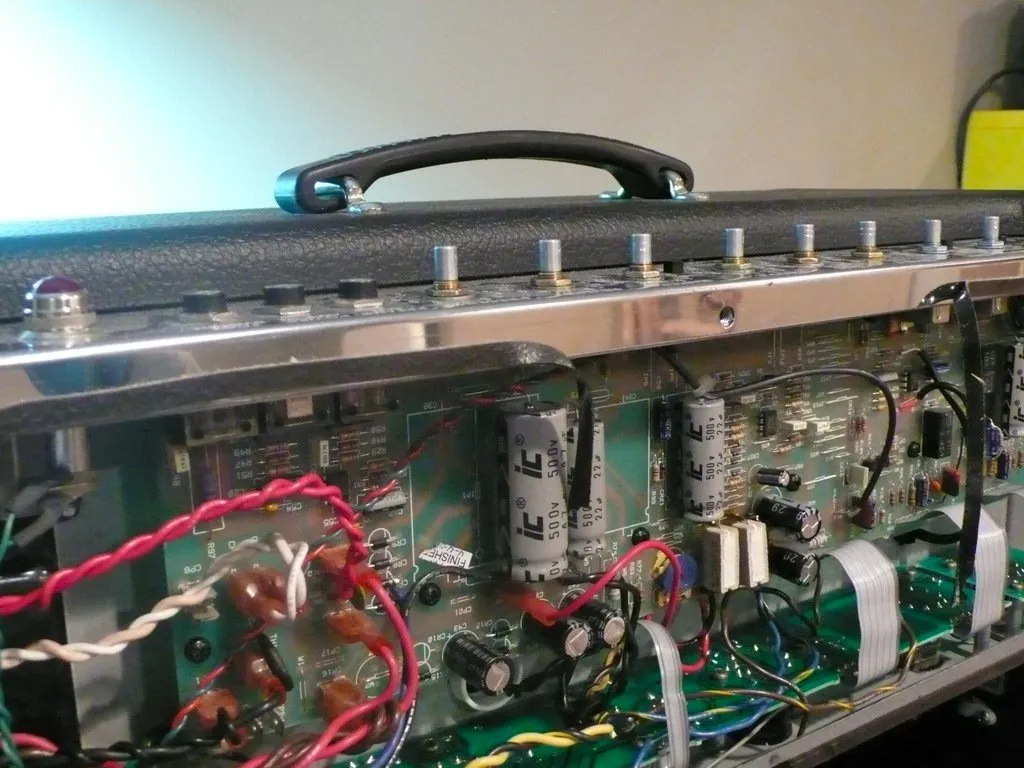
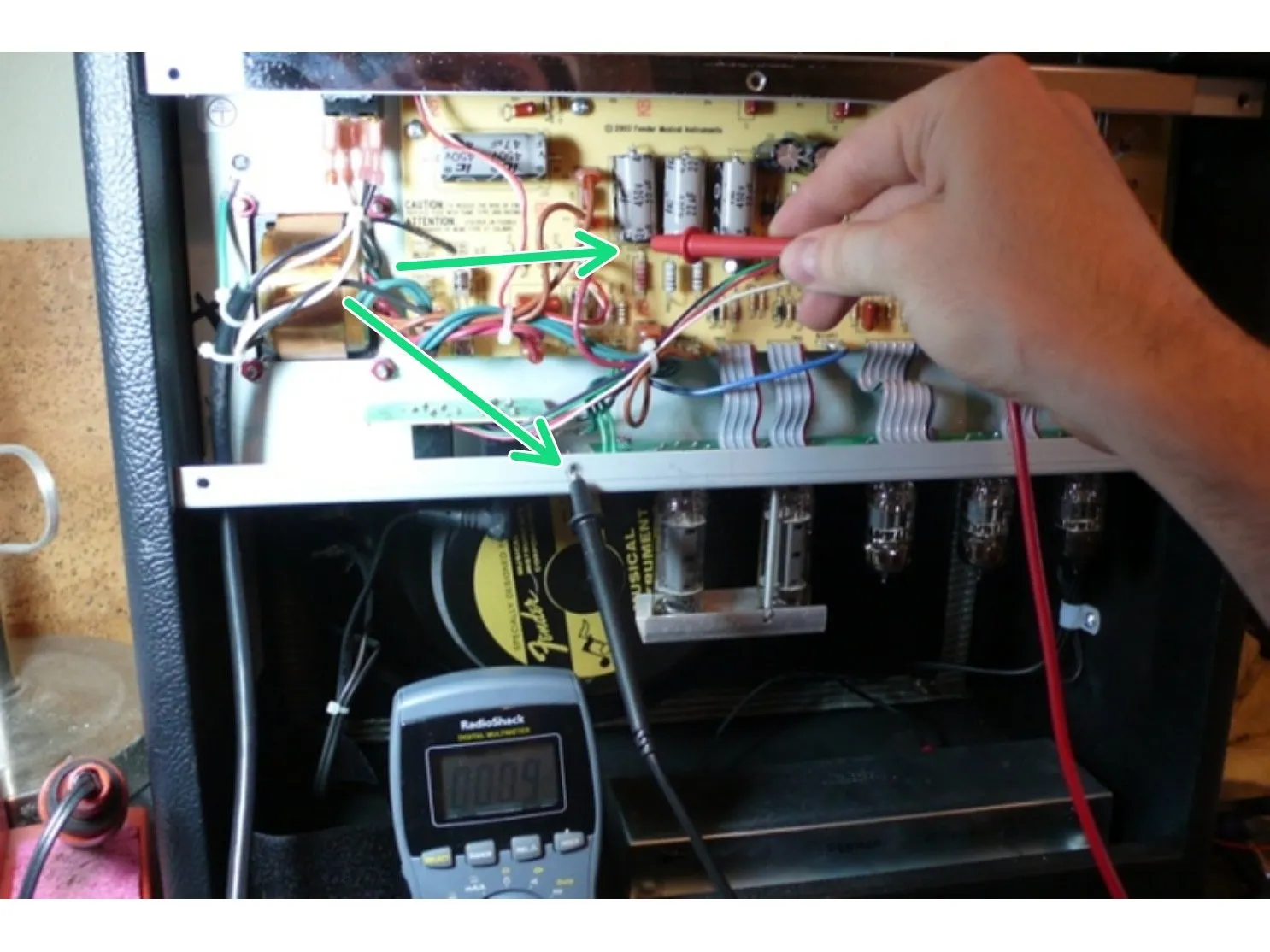
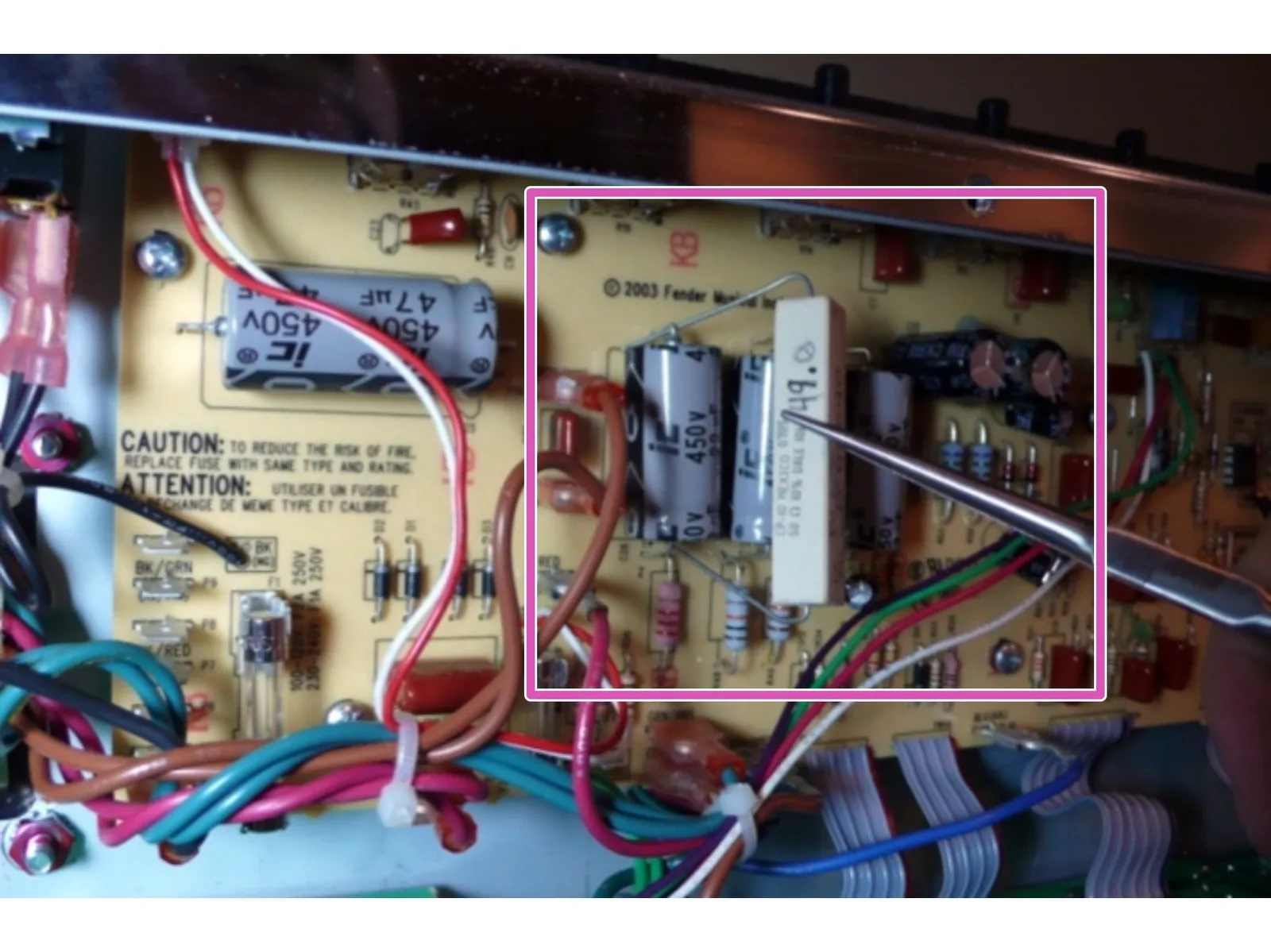
- Unplug the amp and place on a level surface
- Remove the chicken head control knobs by either loosening the set screws or pulling the knobs off, be careful to not lose the small round knob spacer behind the knob. Remove the nut and washer holding the input jack on the top panel
- Remove the screws holding on the back panel and remove the panel. If the back panel does not come off easily you can loosen the chassis screws on the side of the amp about a half turn each
- Drain the Filter Caps: The filter caps on your amp may be drained already but you must follow these steps to ensure that any deadly voltage is removed from the amp before you begin work.
- Test the voltage across the filter caps. Set your multimeter to DC and measure the voltage across the positive and negative sides of any of the filter caps. If the voltage reads higher than 10 VDC, then you need to drain the caps.
- Use a lead with alligator clips on both sides to connect pin 3 on V1 and pin 1 on V1, leave it connected until the voltage at the filter caps measures under 10 volts. This will slowly and safely drain DC from the amp.
3
PCB Prep
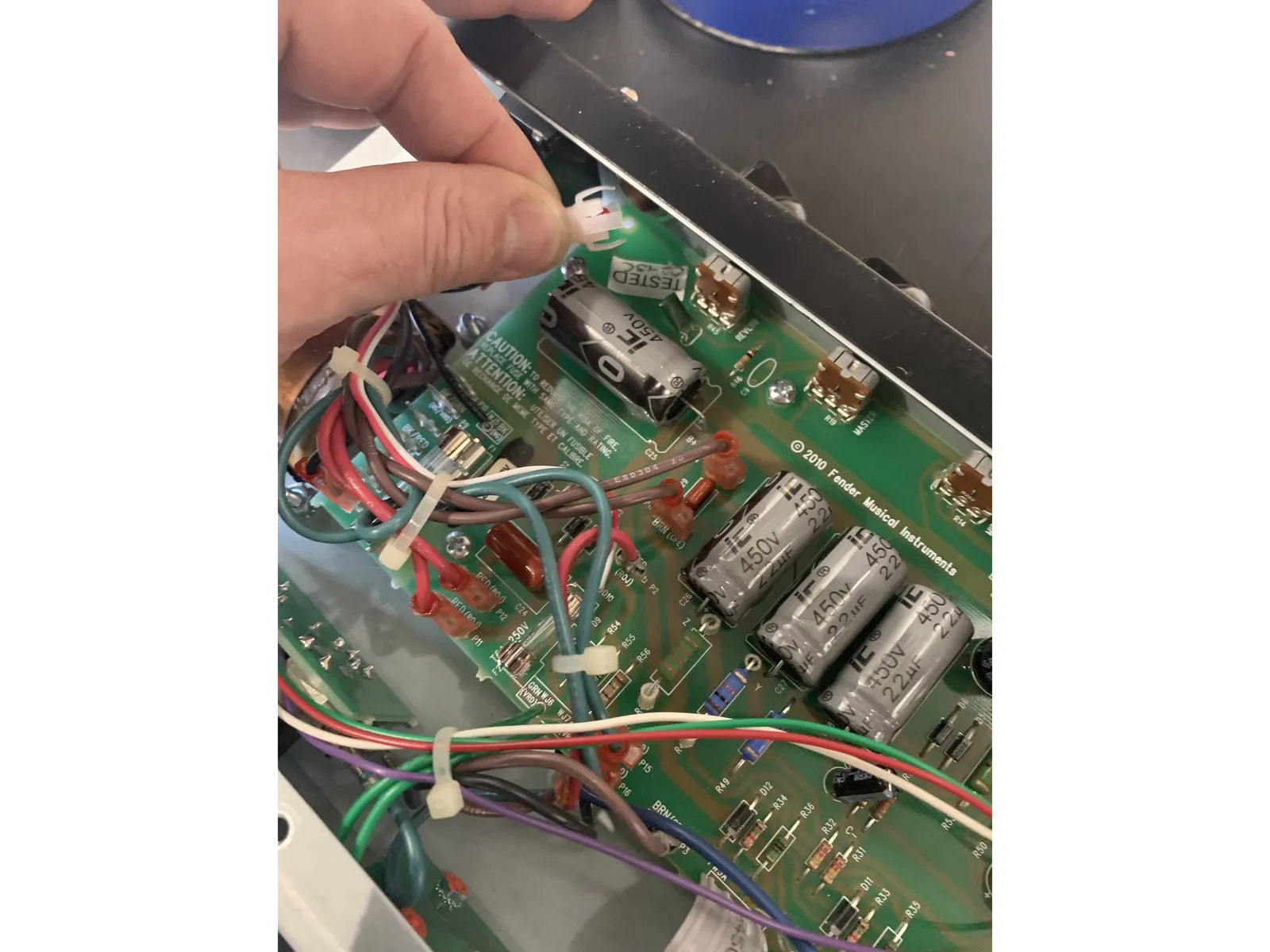
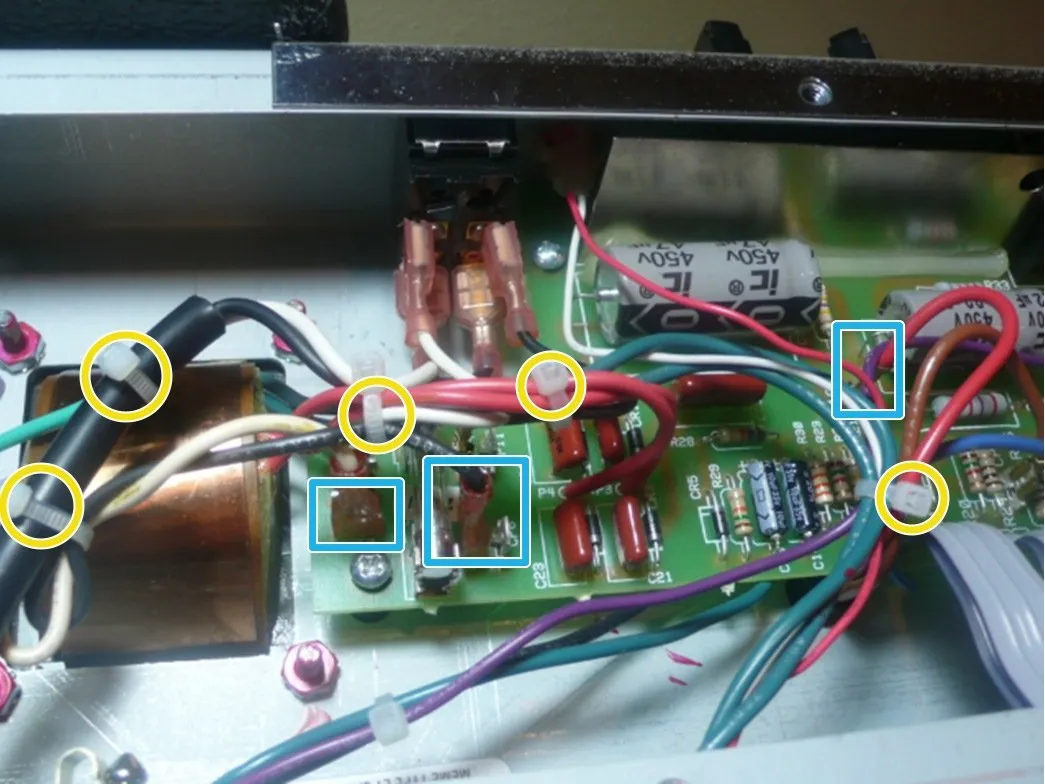
- Clip all of the wire(zip) ties
- Unplug all the transformer lead quick connects by pulling firmly with steady pressure gently rocking the lead terminal from side to side. I like to use needle nose pliers for this.
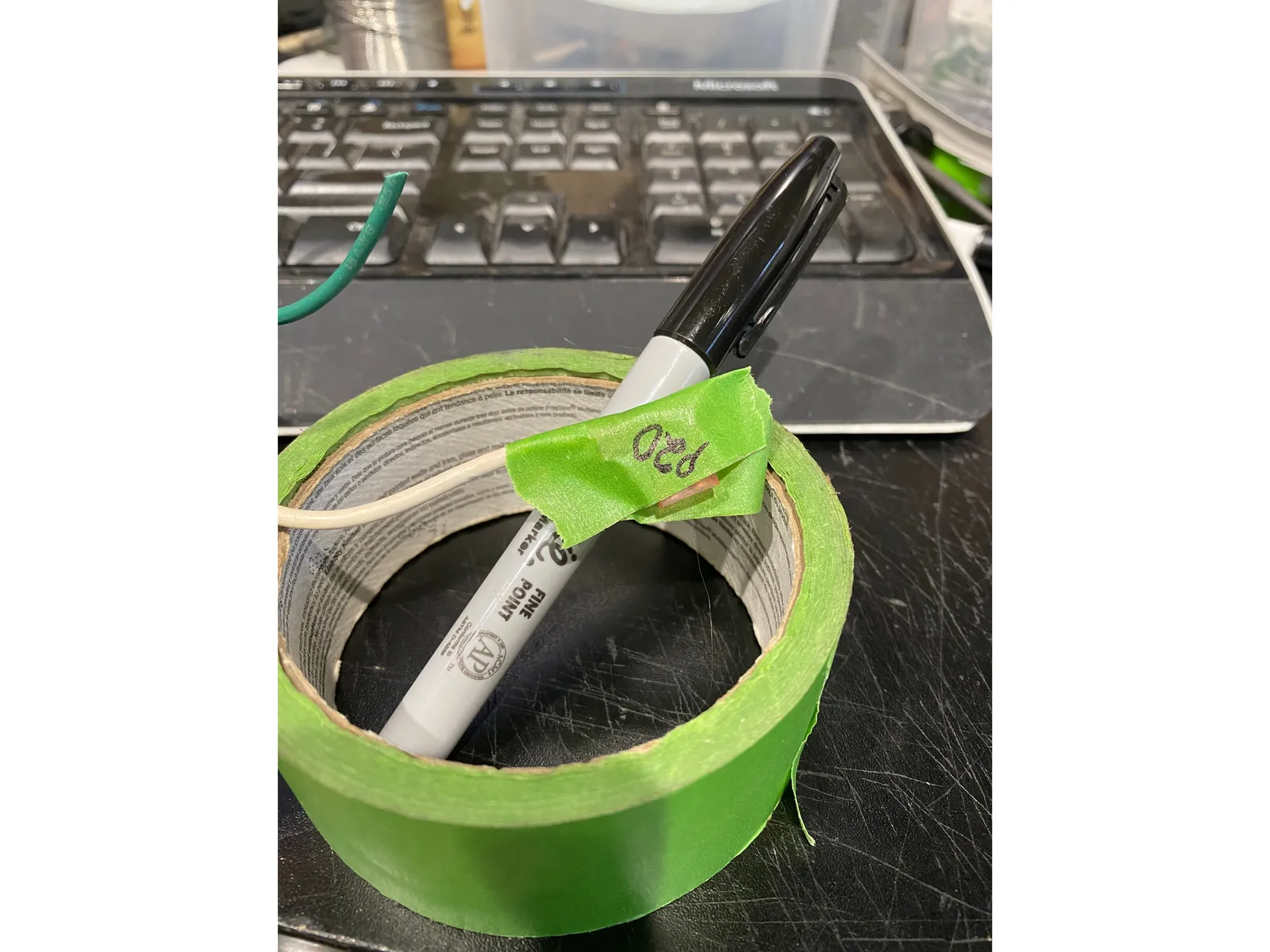
- As you remove each lead mark the wire with masking tape and a Sharpie so you will know where to plug it back in when you are putting the amp back together. I write the terminal number on the lead.
- Remove the pilot LED from the top of the chassis. It should just unsnap when pulled while squeezing the white LED holder. If it is the smaller type of lamp be sure to put the little red lens in a safe place!
4
Disconnect tube pcb
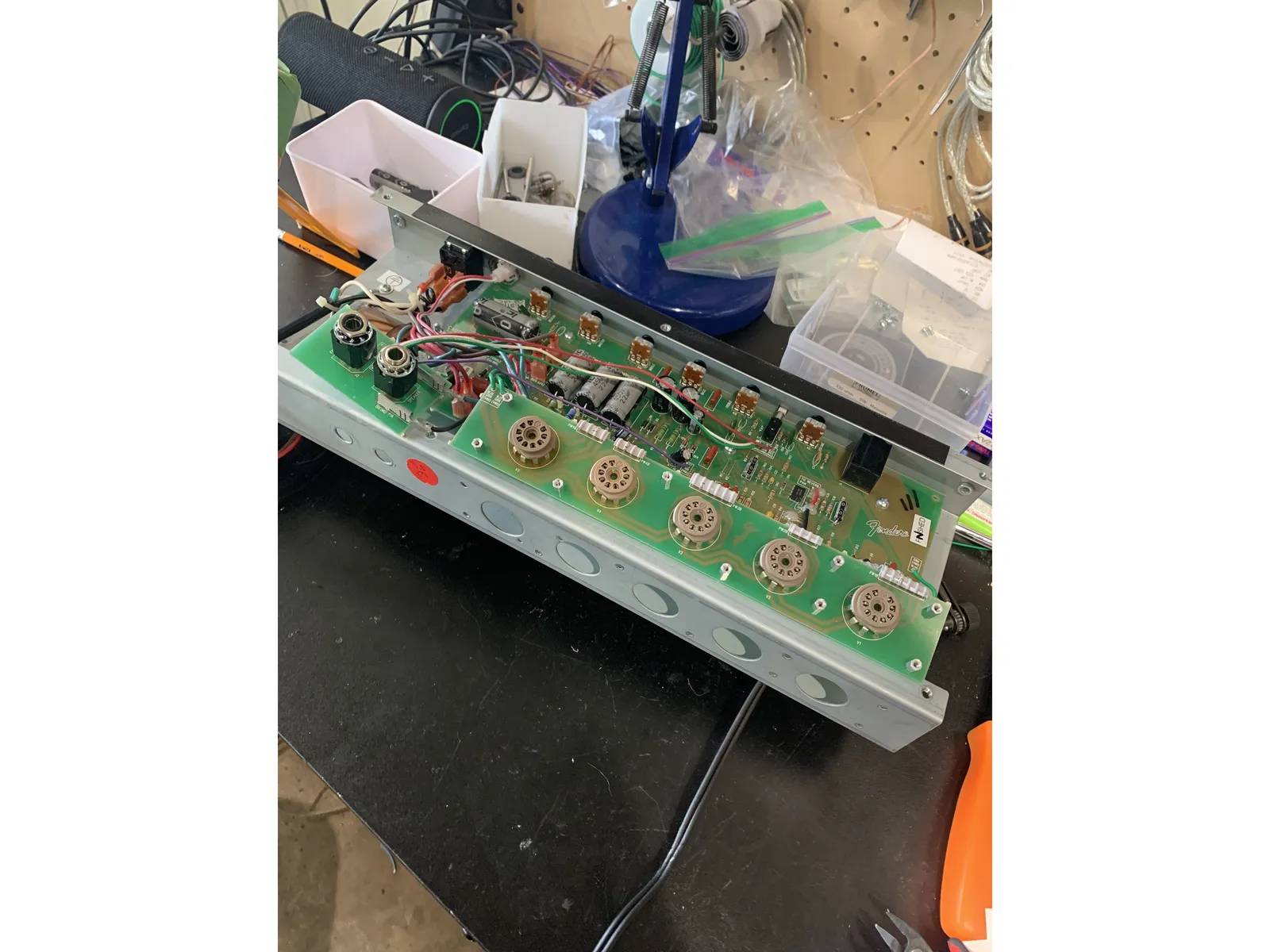
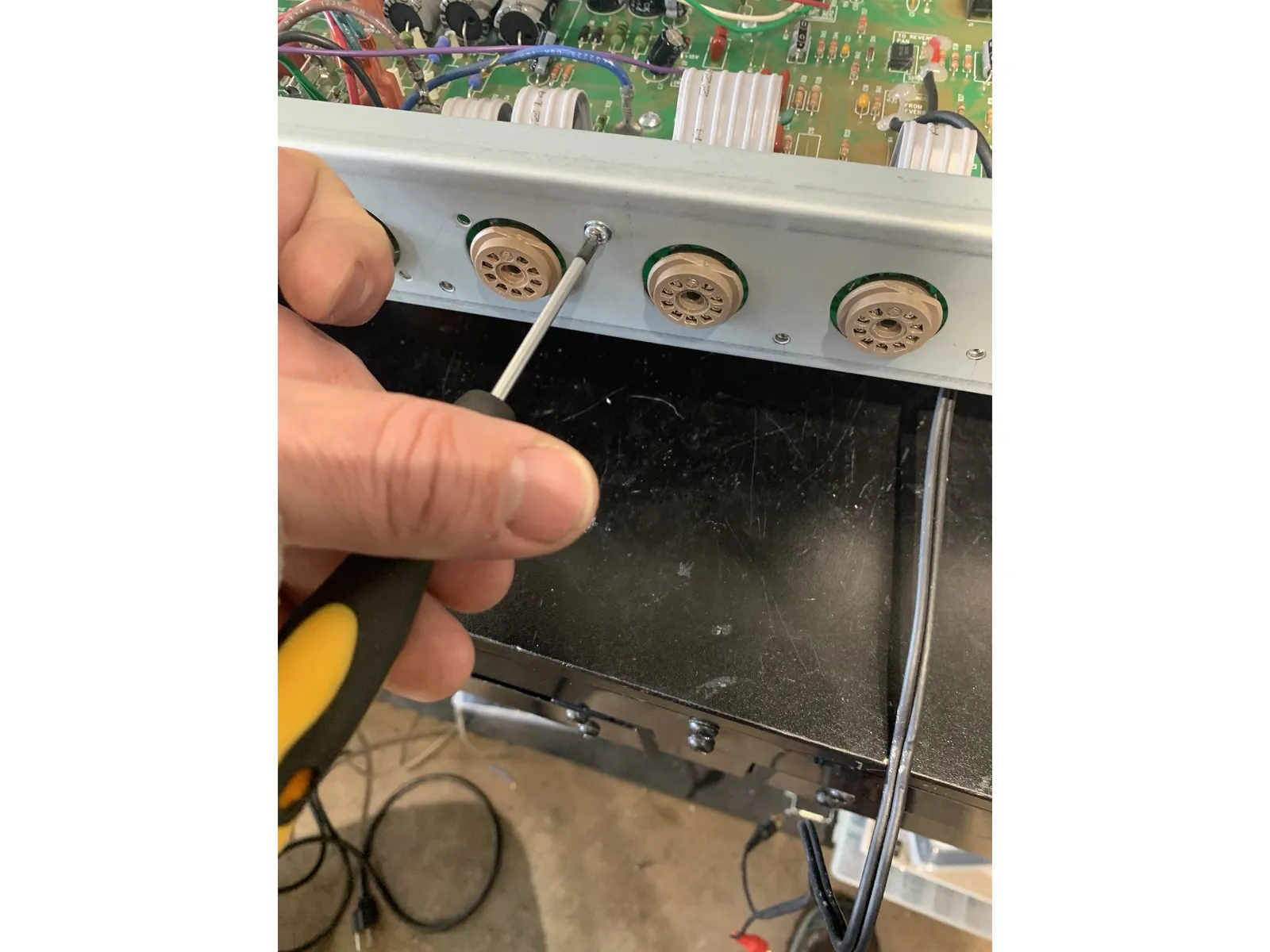
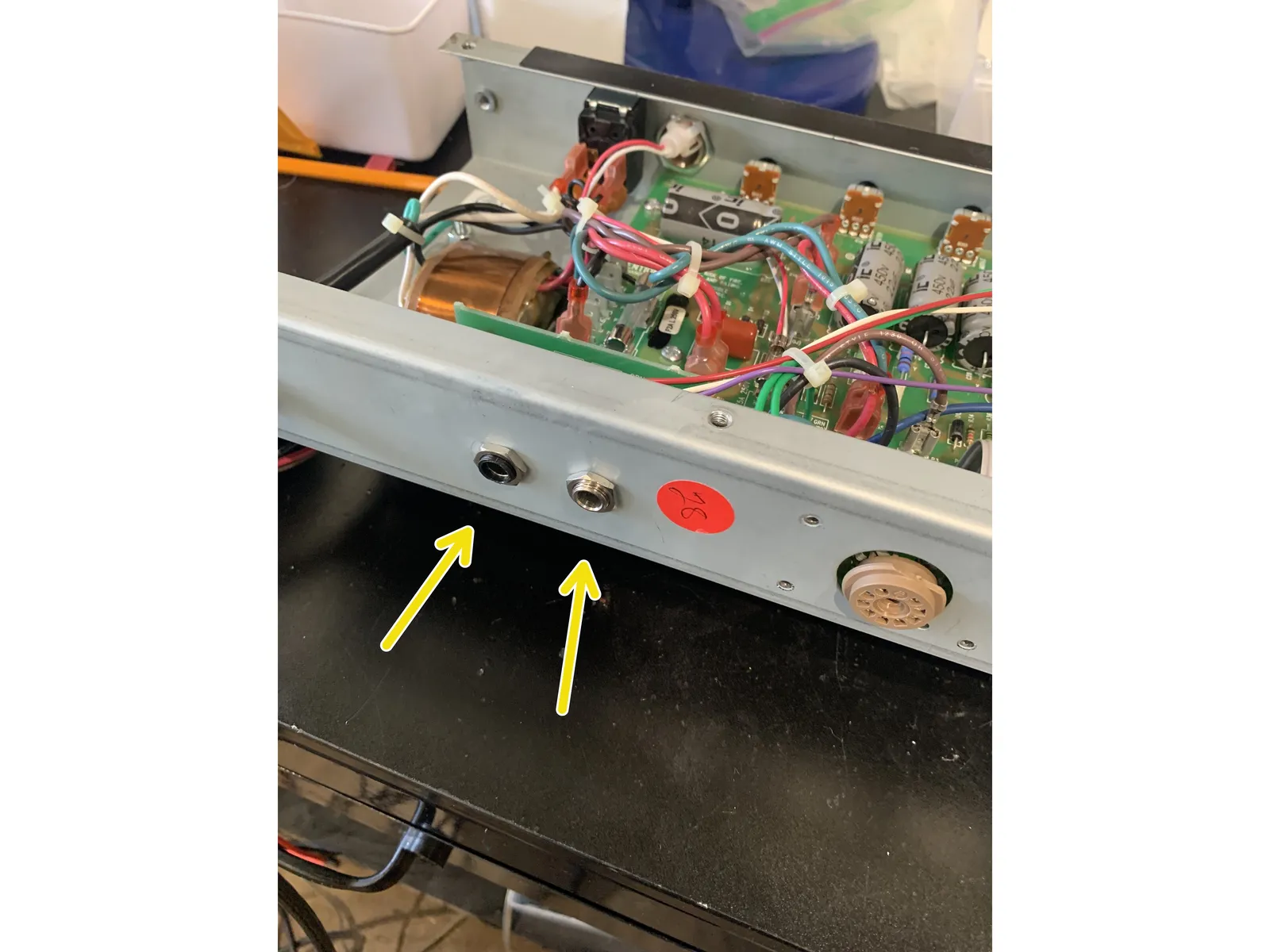
- Remove all of the screws holding the tube pcb board
- DIsconnect footswitch and speaker jack assembly from the chassis
- Gently, with putting as little strain and lateral motion on the ribbon cable, lift the tube board and footswitch/ speaker jack assembly up and free of the chassis
5
Exposing main PCB
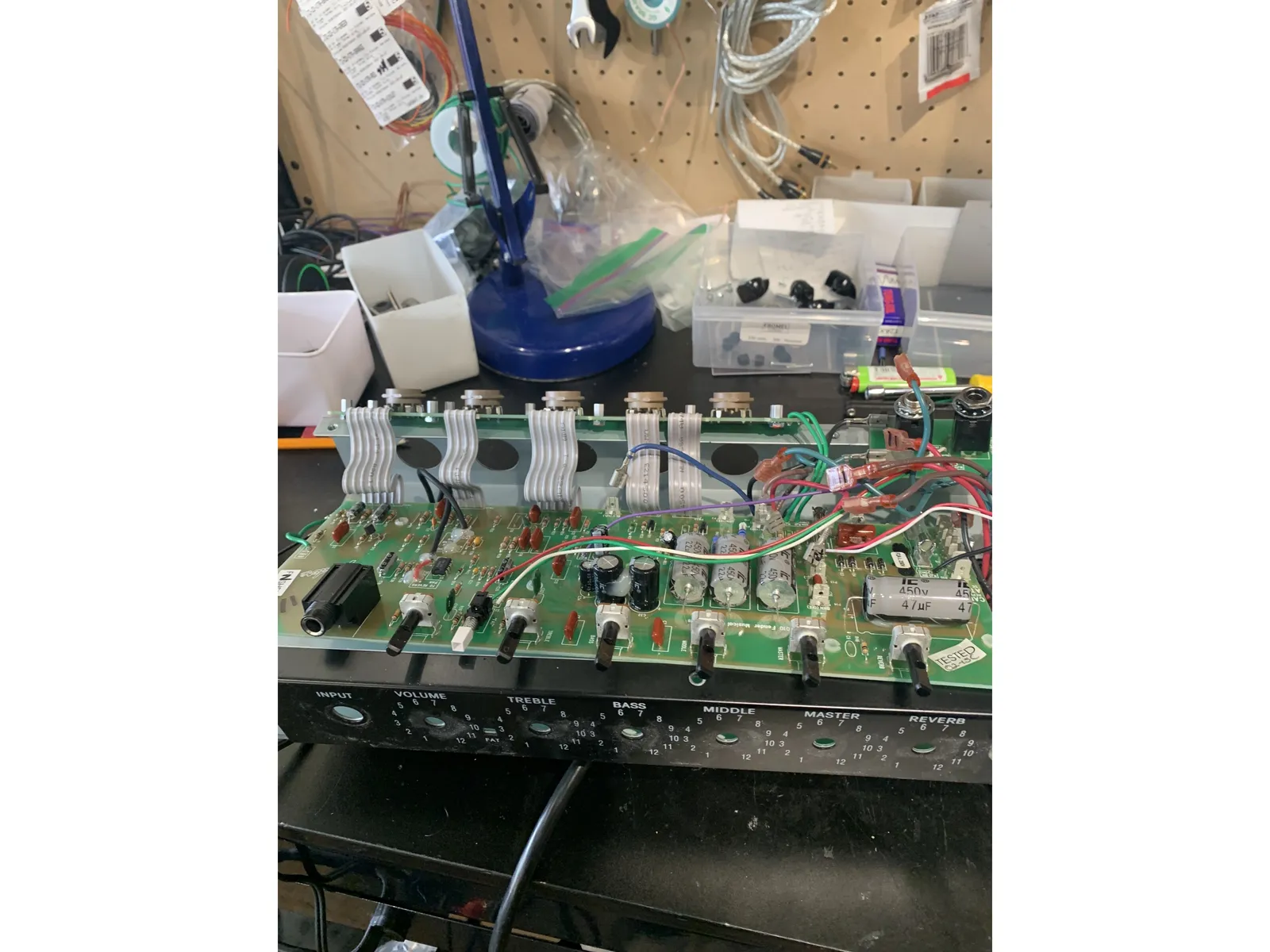
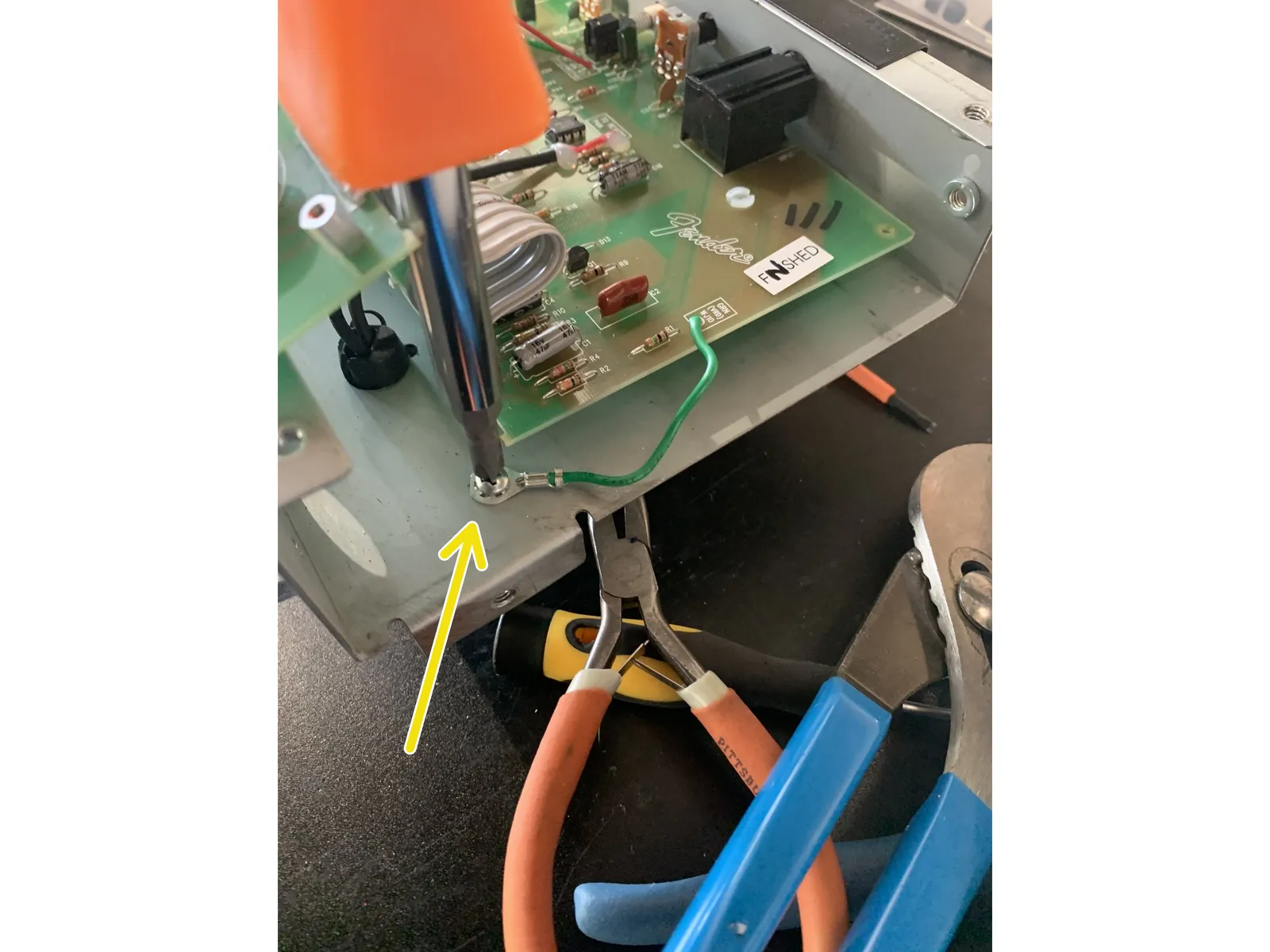
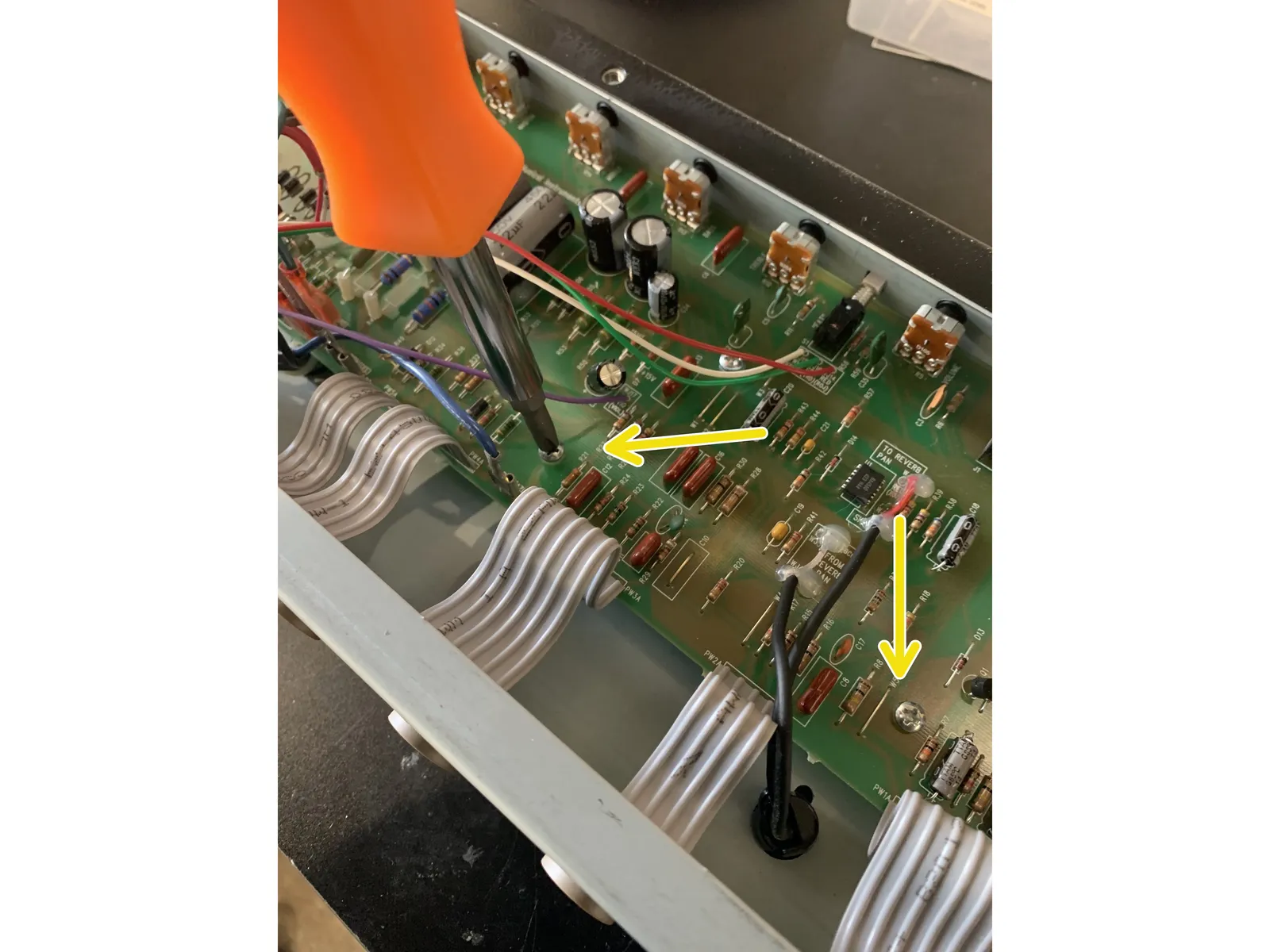
- Remove all screws holding the PCB to the chassis and remove the grounding lug screw.
- Pull gently on the board to make sure that it is not stuck to any of the standoffs that were holding the circuit board screws.
- Press the wires from the output transformer as far away from the board and as close to the chassis as possible. The board needs to come toward the tube side of the amp before the pots will clear the top of the chassis as shown.
- Using gentle pressure on the control side of the circuit board press the board towards the tube side making sure it is not getting hung up on any wires until the pots have cleared the top of the chassis then pull the board to you to expose the underside.
- DO NOT PUT PRESSURE ON ANY COMPONENTS INCLUDING THE FILTER CAPS WHEN MOVING THE BOARD.
6
Removing the old components
- The solder pads on the PCB are prone to curling and separating from the PCB, remove the components with care, never using force. We recommend using de-soldering braid as solder suckers can rip the pads off the PCB. A 750f to 850f iron and as little time on the solder joint as possible is what we recommend for these PCB's
- For components that are mounted with a bend in the lead on the solder side of the board( resistors & other axial parts) it's best to clip the components out before removing solder - clip lead flush to the board and remove solder. Adding some leaded solder to the solder you're trying to remove can help keep pad & trace damage from happening.
- For components without a bent lead you can remove solder first or clip and remove.
- Never heat a solder pad and pull the component out, you WILL damage the pad and trace!
- The ribbon cable can can be fragile so it's best to move it as little as possible
7
Cooling bias
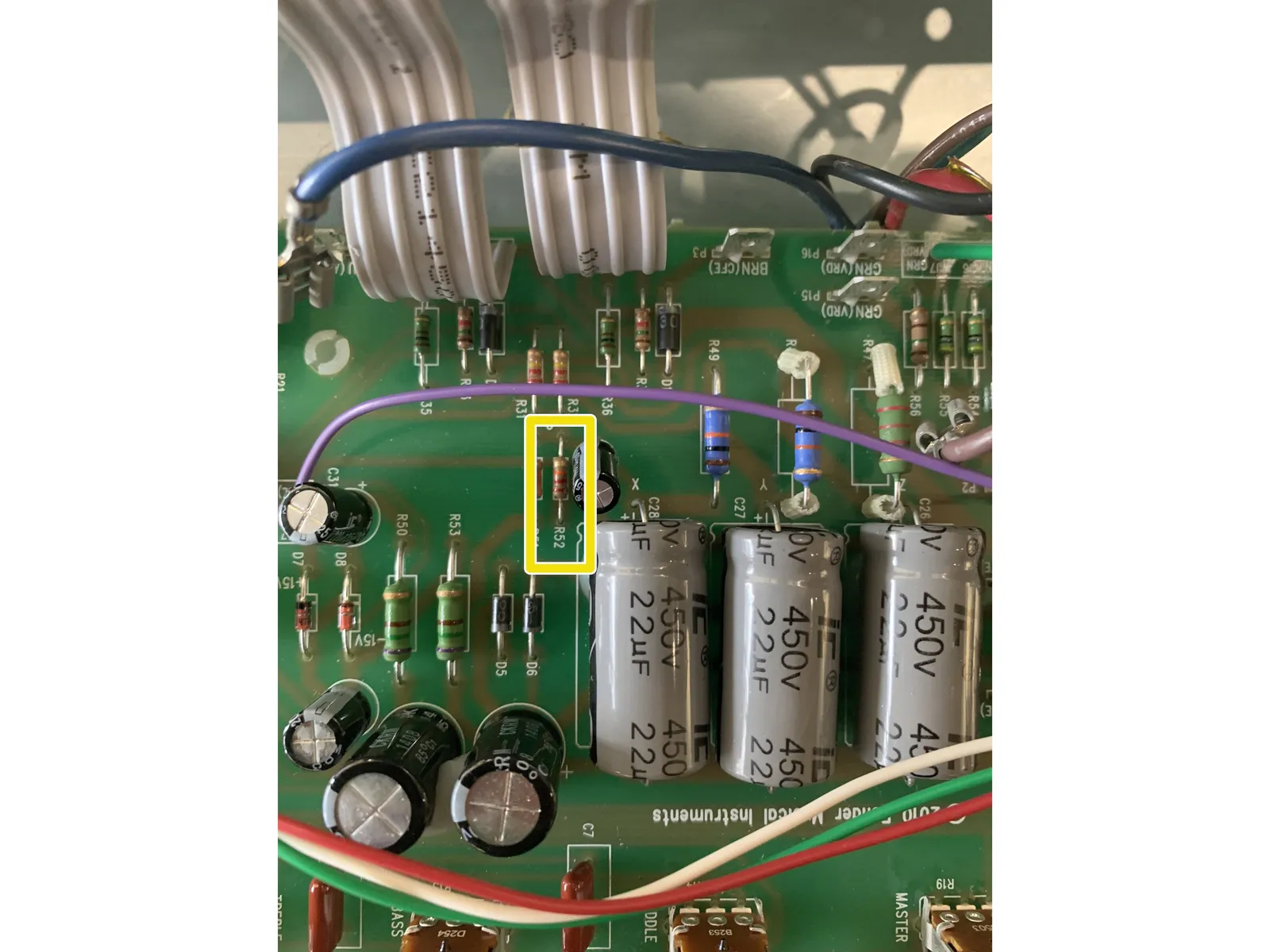
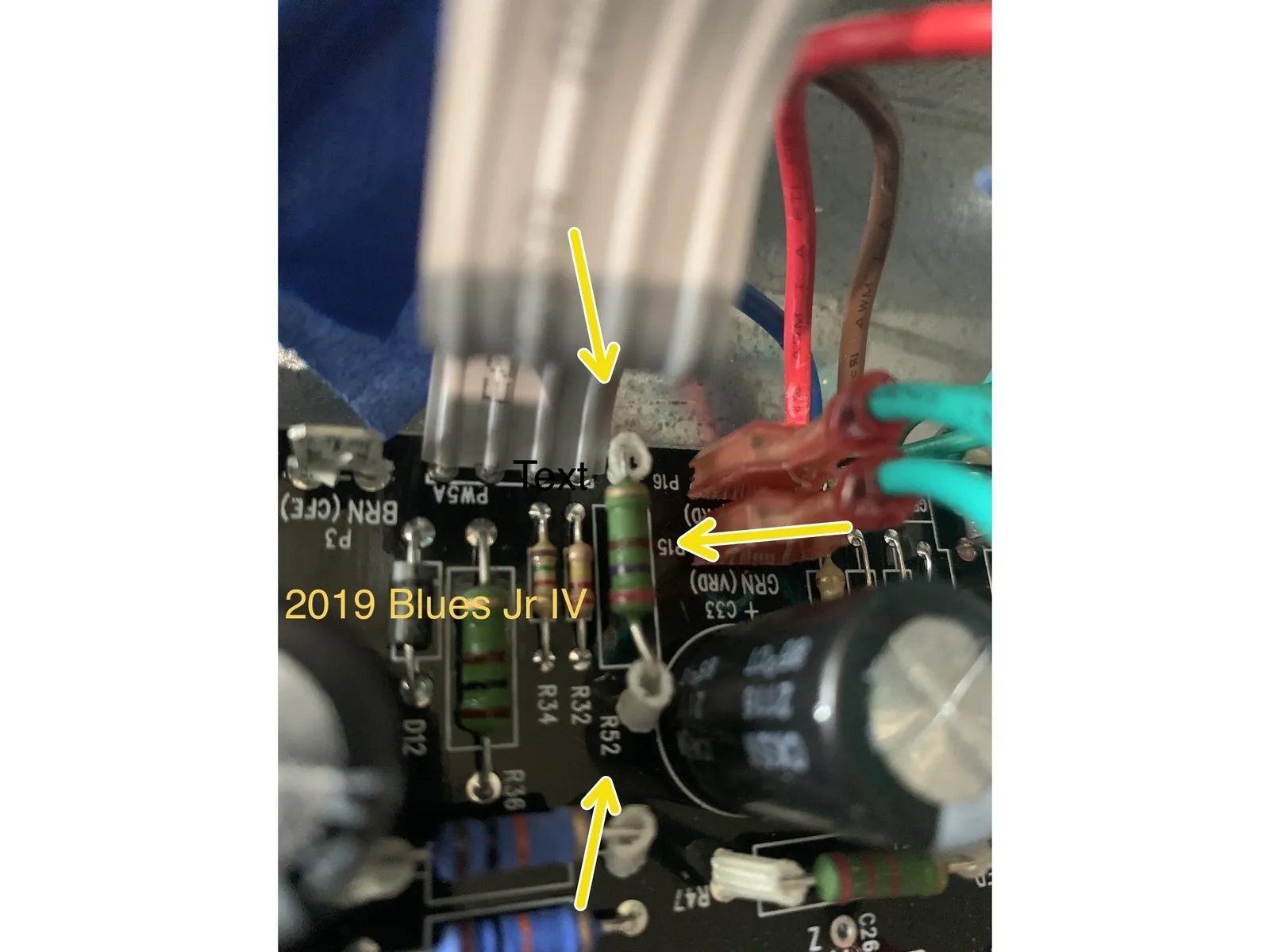
- Newer Blues Jr IV's are cathode biased and do not need this mod. If your amp has a Black PCB and says (c) 2019 Fender Musical Instruments and/ or there is a 270 ohm resistor in R52 - DO NOT do this step. Shown in the picture.
- Remove R52 & install 33k resistor in R52
- If you have a Supreme mod you've already installed a 33k resistor in R52 and won't need to put the new one in.
8
Tone stack
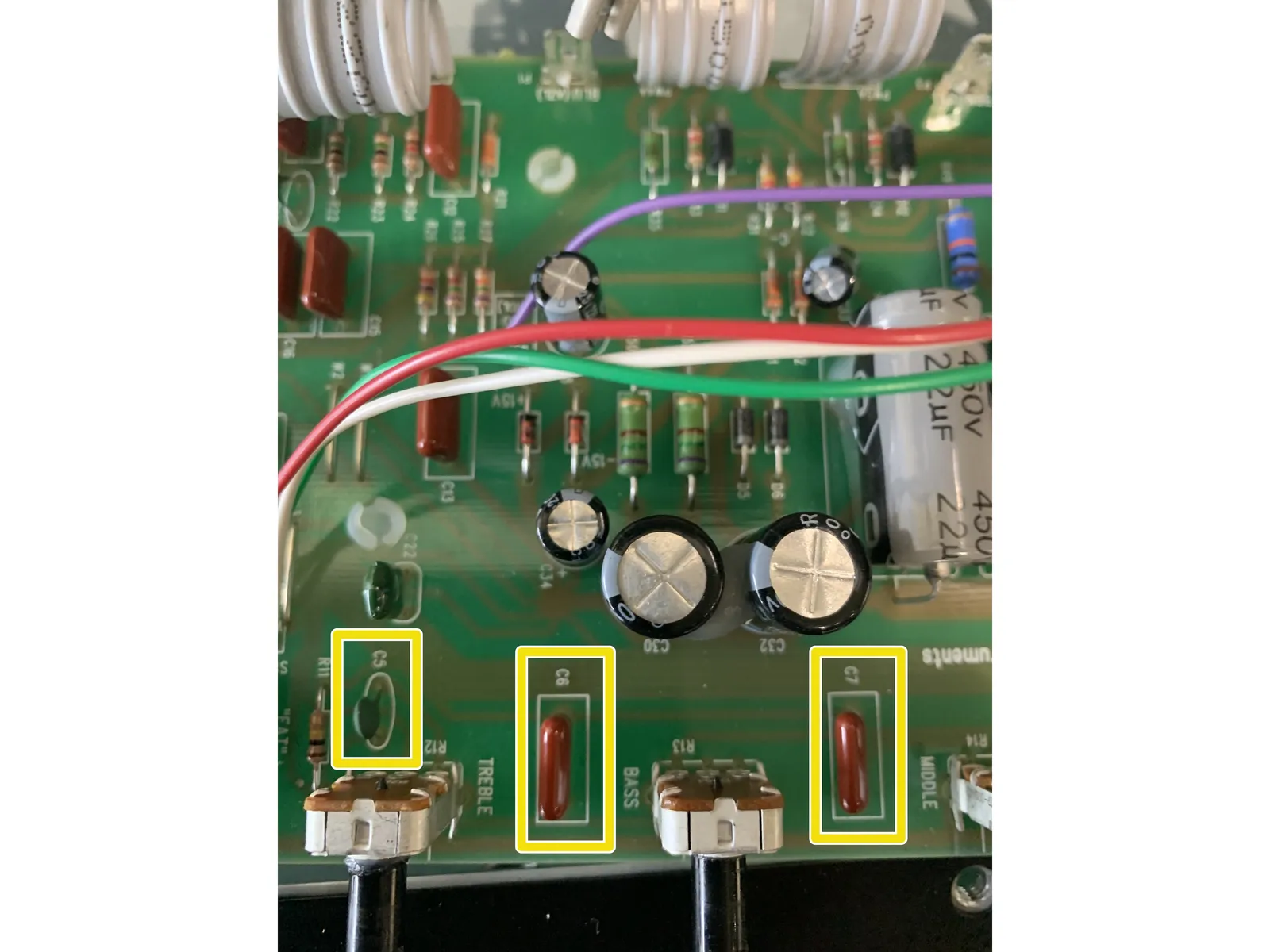
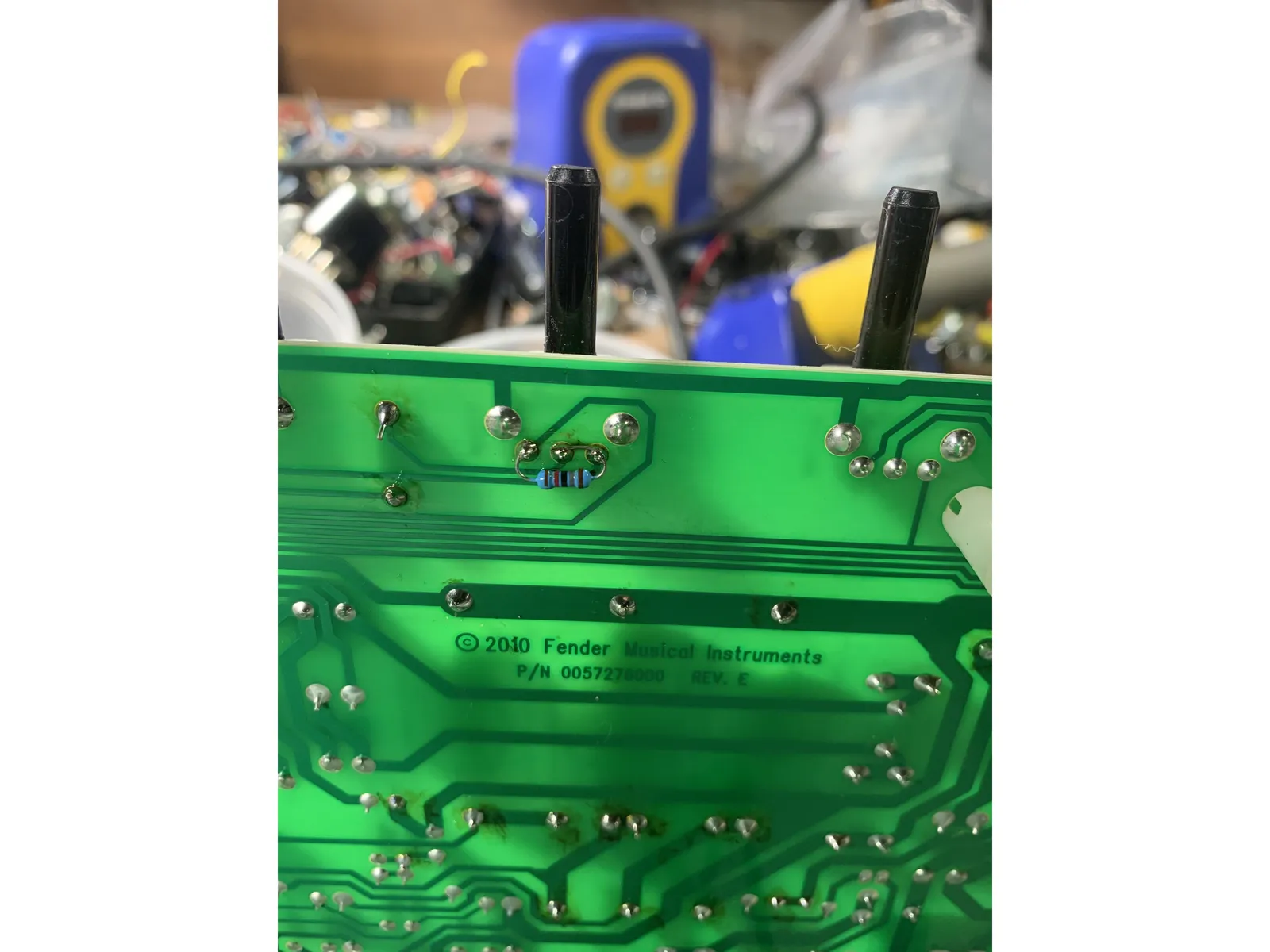
- Remove C5, C6, and C7
- Install: 220pf in C5, 10mm .1uf in C6, and 10mm .047uf in C7. Don't use the .047 axial cap, it gets used later on.
- Remove the solder from the mid pot. Install the 18k resistor in parallel with pins 1 & 3 of the mid pot & jumper pins 2 & 3 with one side of the resistor lead, see photo.
- After these mods your amp will not make sound with all of the tone controls all the way down. This is on purpose! What you're doing is changing the tone stack to a vintage style which gives you a greater range on the mid pot.
9
Preamp cathode bypass caps - Fat switch to full frequency boost
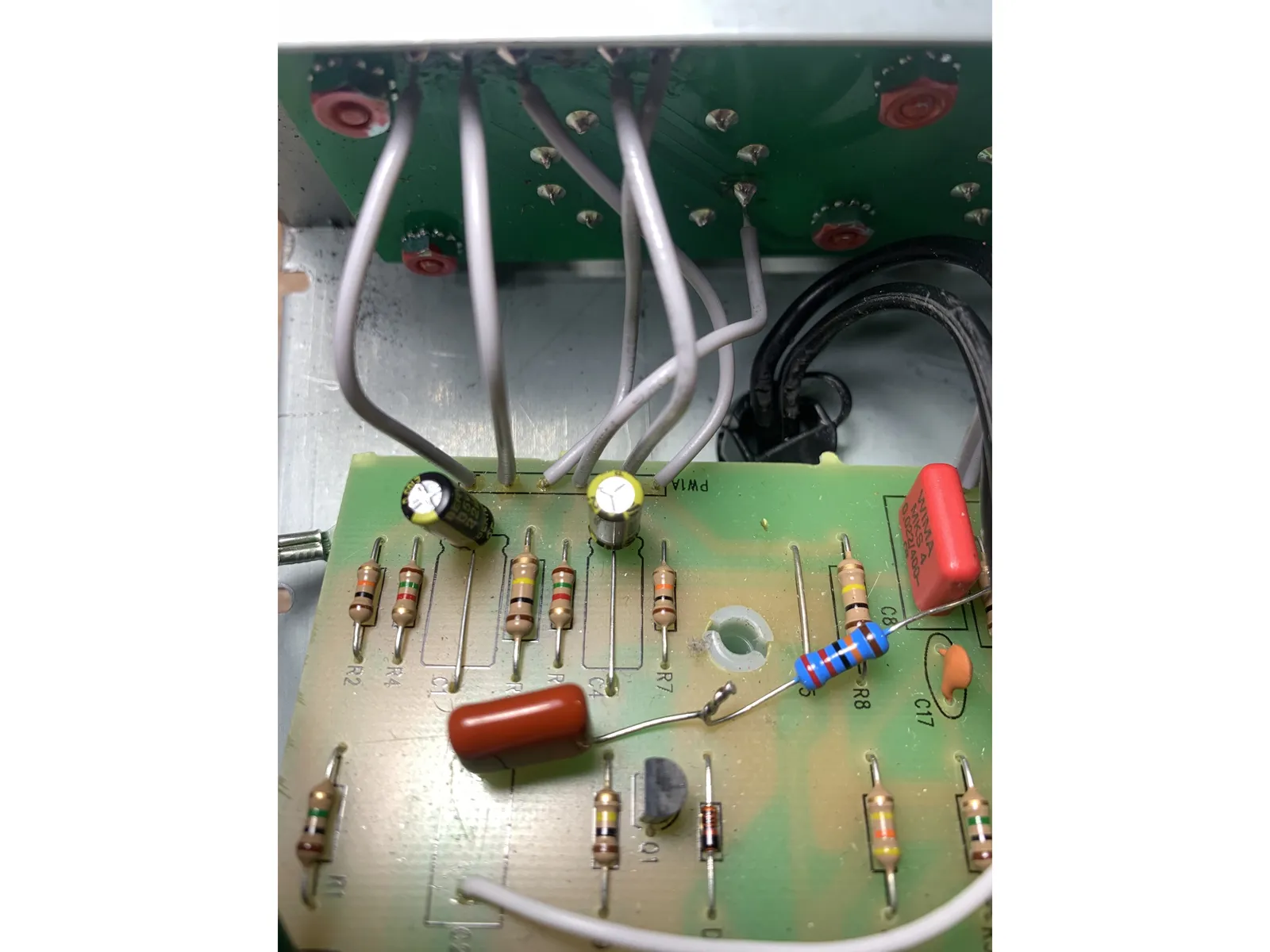
- Remove C1 and C4.
- Install 22uf in C1 & 2.2uf in C4
- These caps are polarized and will only work if installed correctly. Make sure that the ground lead( has a stripe with a "-" sign on it) is in the hole closest to the input jack. Otherwise these caps won't work!
- The 2.2uf cap in C4 is what transforms the fat switch( always seemed more muddy than fat to me) to a clear full frequency boost, foot switchable!
- If you have a newer version of the Supreme kit you'll already have these caps installed, with an older version of the Supreme you won't have the 2.2uf cap in C4 and I highly recommend swapping that one out.
10
Vintage reverb mod
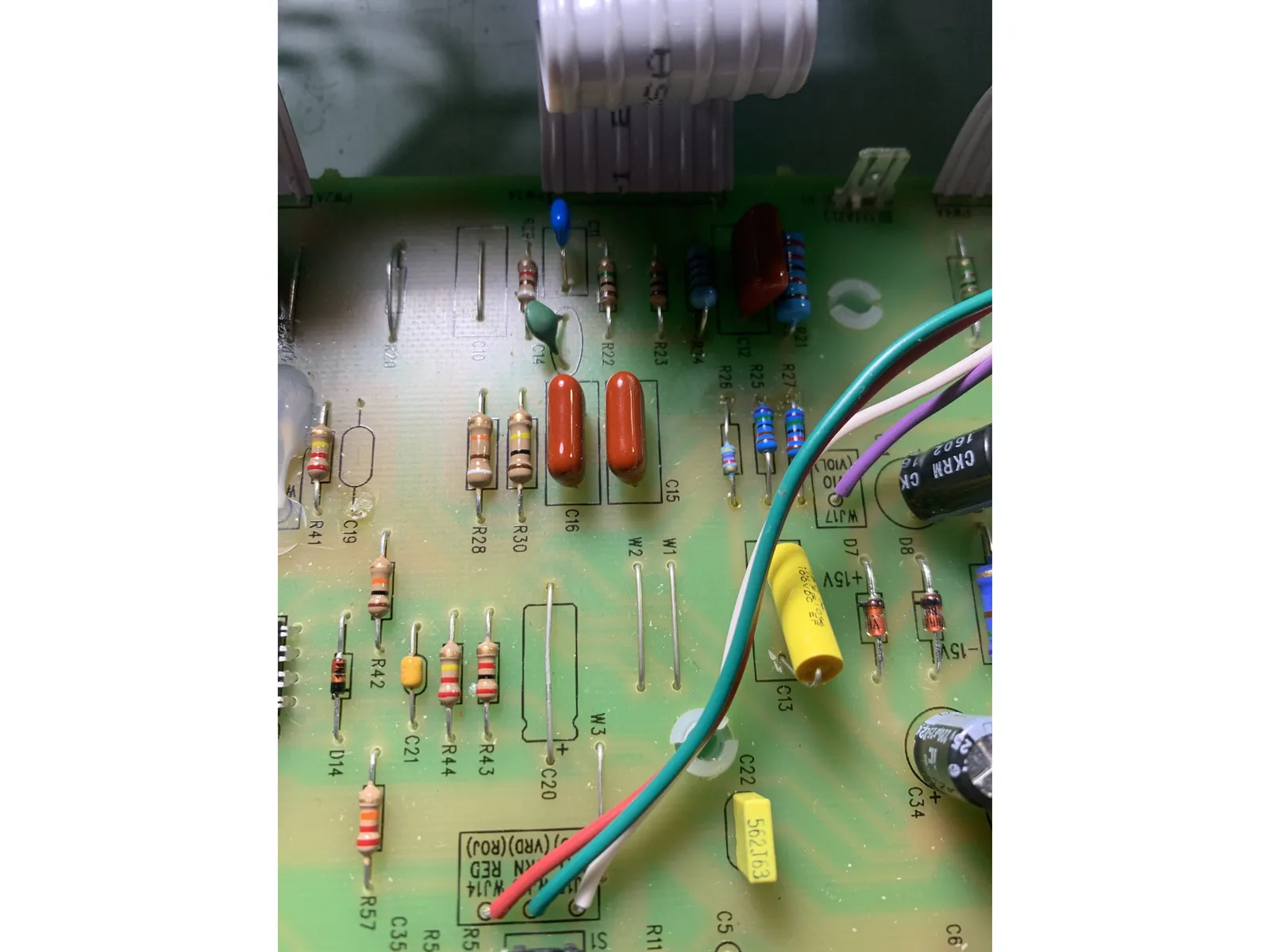
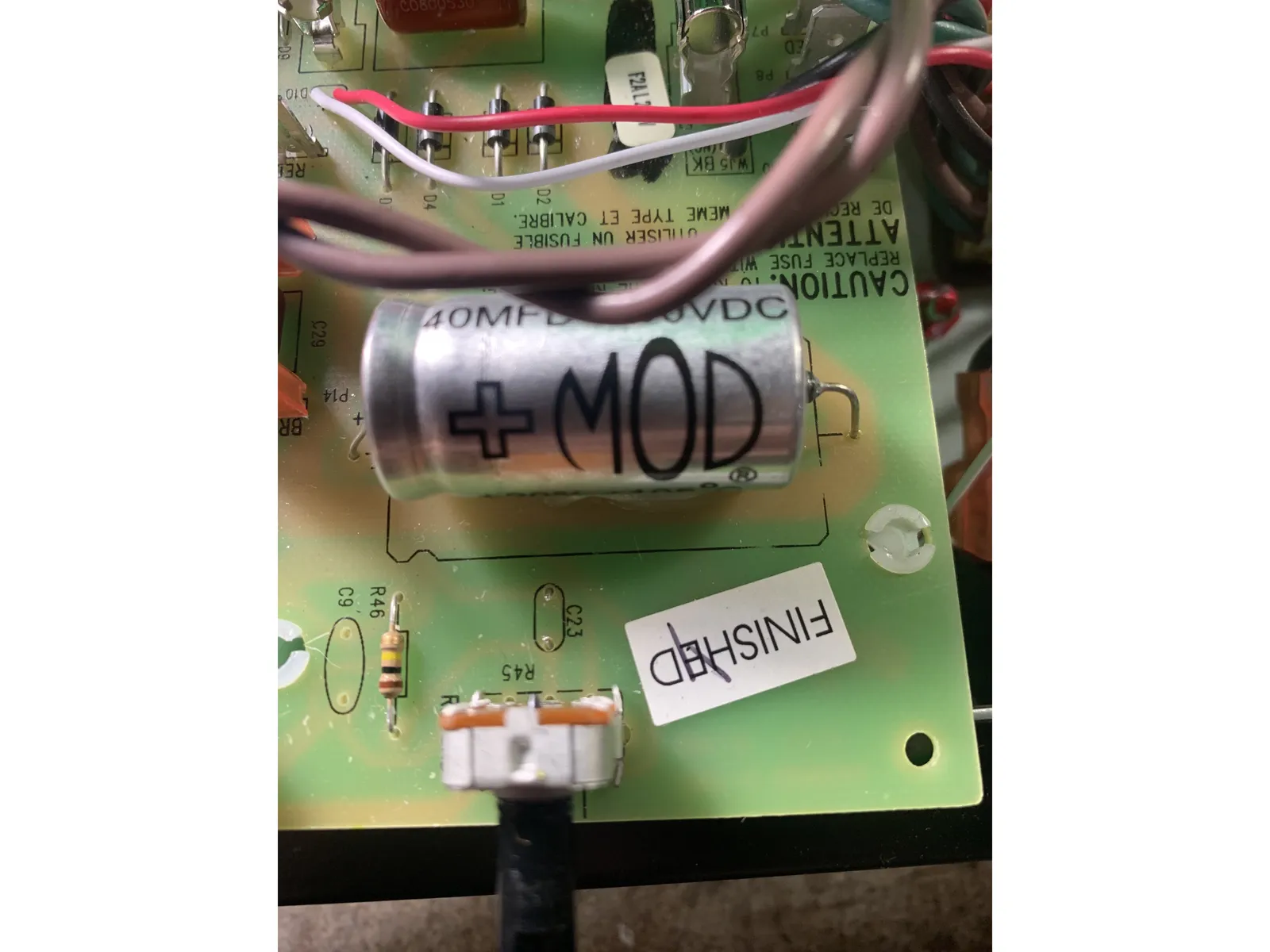
- This mod will voice the reverb like a vintage black panel amp reverb while also reducing noise and taming an overwhelming stock reverb!
- Remove C19, C20, C22, and C23. C19 and C23 will remain empty so you can just clip them out and don't need to remove the solder. C23 is over by the reverb pot.
- Using a lead cut off an installed component jumper C20
- Install the 5.6nf( cap may have .0056 or 562 printed on it) in C22
11
Circuit path changes pt. 1
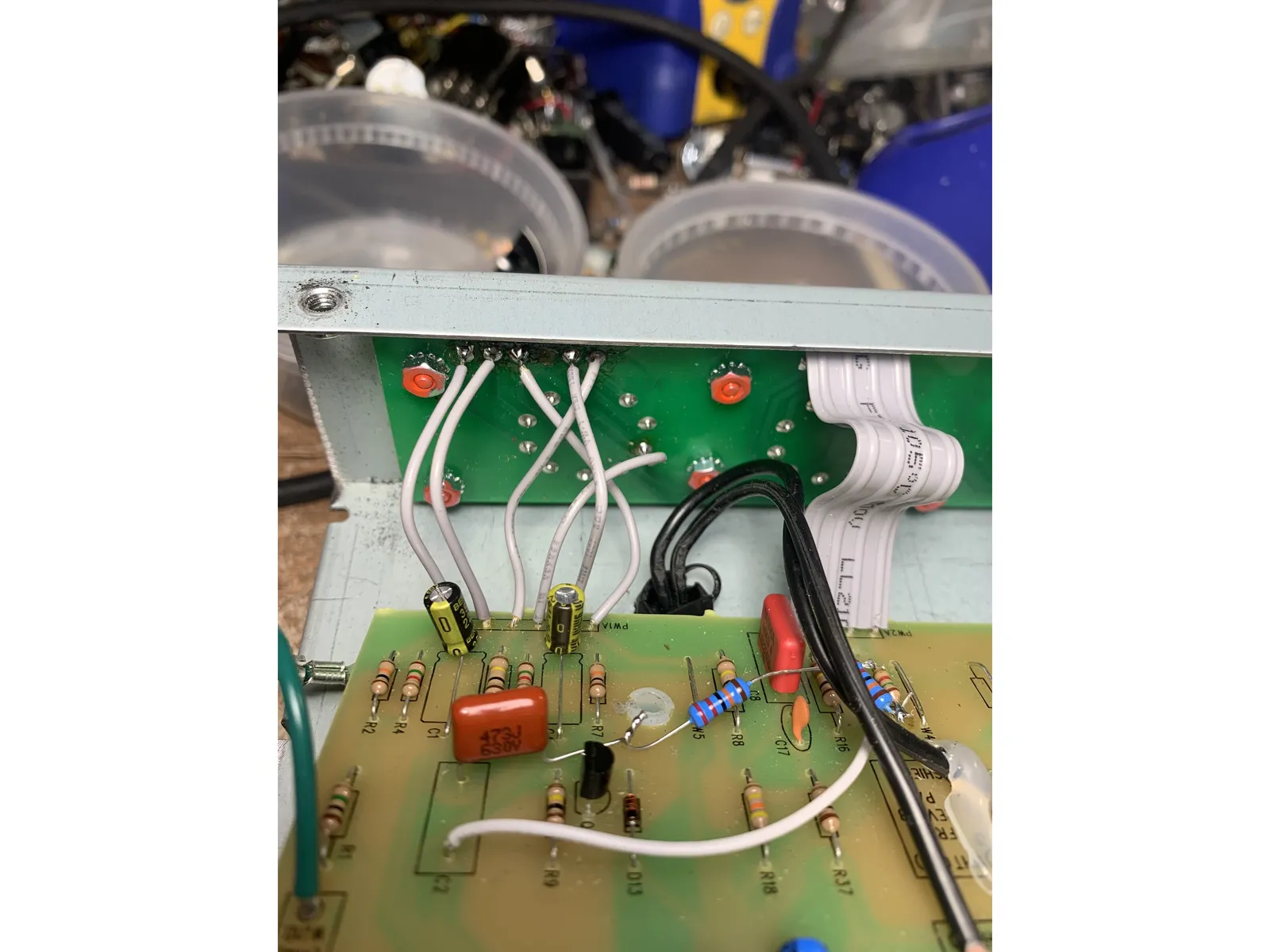
- The next couple of steps will be what really makes this circuit like a vintage black panel and re-routes the order of the tubes and where the tone stack is in the signal path. If you're also installing the Fromel Tube Board skip this step for now and move onto
- If you're also installing the Fromel Tube Board skip this step for now and move onto the next step: Circuit path changes part 2
- Remove the 6 conductor ribbon cable between the main PCB and the tube PCB. We'll be re-routing these connections. Be very careful the pads on the PCB's the ribbon cable is soldered to are pretty fragile and like to lift up.
- The ribbon cable connections on the main PCB side are called PW1A and on the tube PCB side are called PW1B. The connections are numbered from left to right( with the control panel facing you) 1 through 6
- Using the 80mm wires connect PW1A - 1 to PW1B - 1, PW1A - 2 to PW1B - 2, PW1A - 4 to PW1B - 4, and PW1A - 5 to PW1B - 5. These connections are all the same as they were with the ribbon cable
- Using 80mm wires connect PW1A - 3 to PW1B - 6 & PW1A - 6 to PW1B - 3
- If you fried one of the pads( like I did in the photo, happens!) Just run the wire directly to the tube pin the missing pad leads to. I like to remove the solder and stuff the wire into the hole with the pin for a solid connection
12
Circuit path changes pt. 2
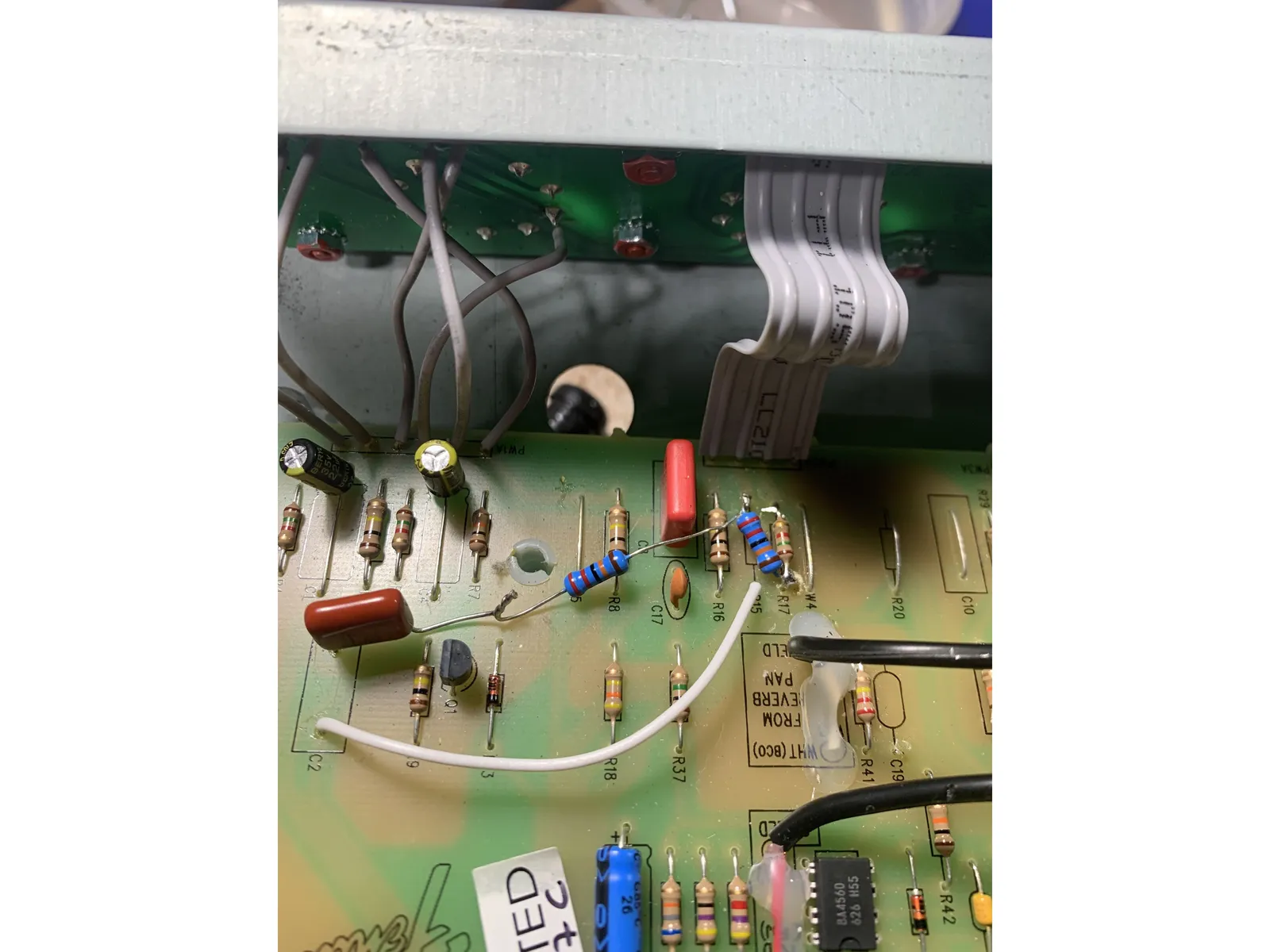
- Remove C2 & R15
- Install a lead from the control side of C2 to the control side of R15( see photo)
- Install one lead of the .047uf( 473) axial cap to the tube side of C2. Connect the other lead to one lead of the 220K resistor. The other lead of the 220K resistor install in the other side of R15( see photo)
- The other 220K resistor solder one lead to the 220K at R15 and the other lead to the control side of R17( see photo)
- I know the .047 cap in the photo isn't axial. Axial works better!
13
Circuit path changes pt. 3
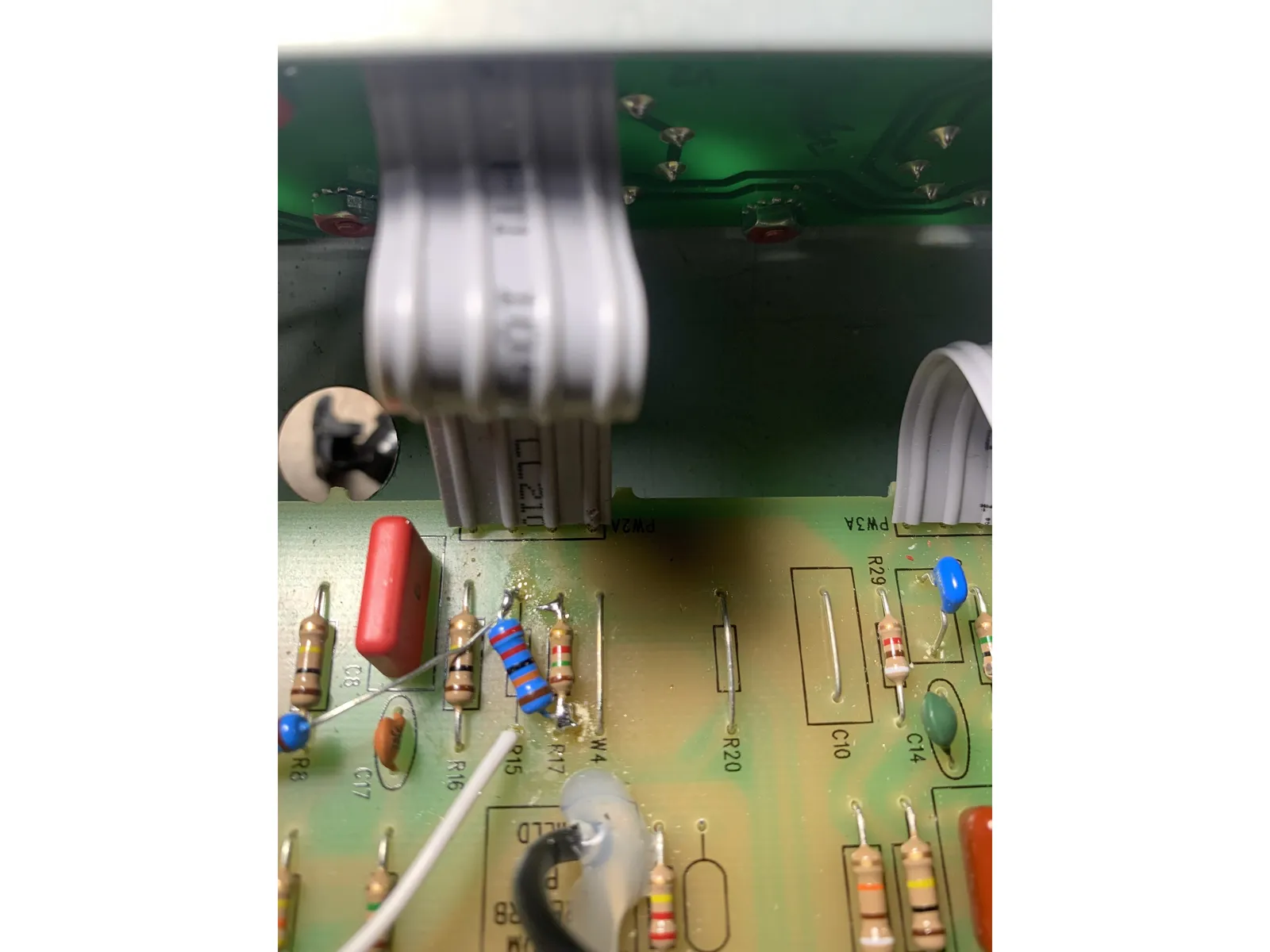
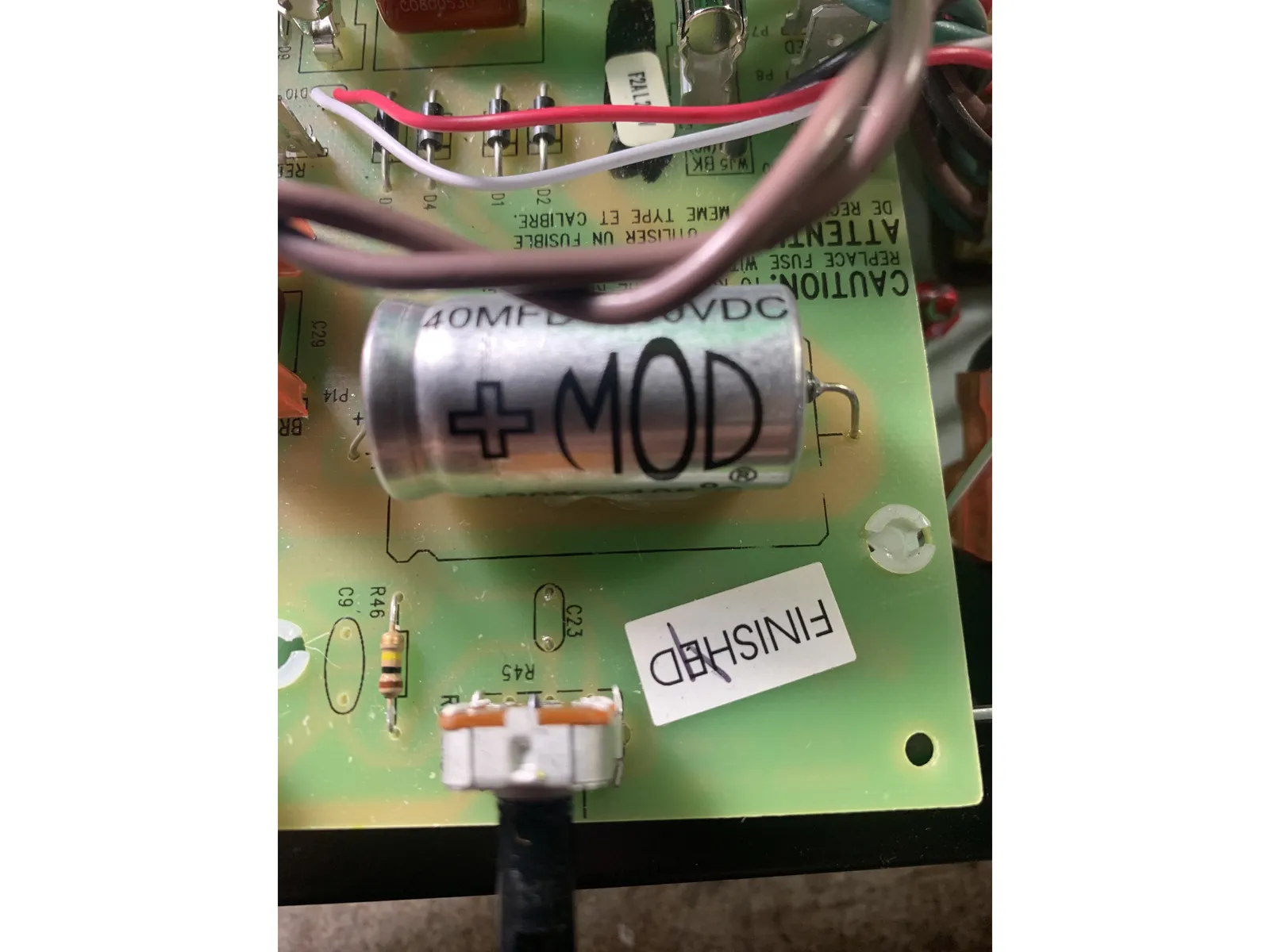
- Remove C8, R20, and C9. Some early models of Blues Jr and Blues Jr IV already don't have a C9. If you previously installed a cap in C9 with an earlier version of Fromel mods still remove it. C9 stays out so just clip it out. C9 is over by the reverb pot and the C23 cap you already removed
- With a lead clipped from a component install a jumper in R20.
- Install a 10mm .022uf cap in C8
- Remove C3 and R6 next to the Fat switch. You can just clip them out without removing the solder, they won't have any components in them when we're done.
14
Phase inverter
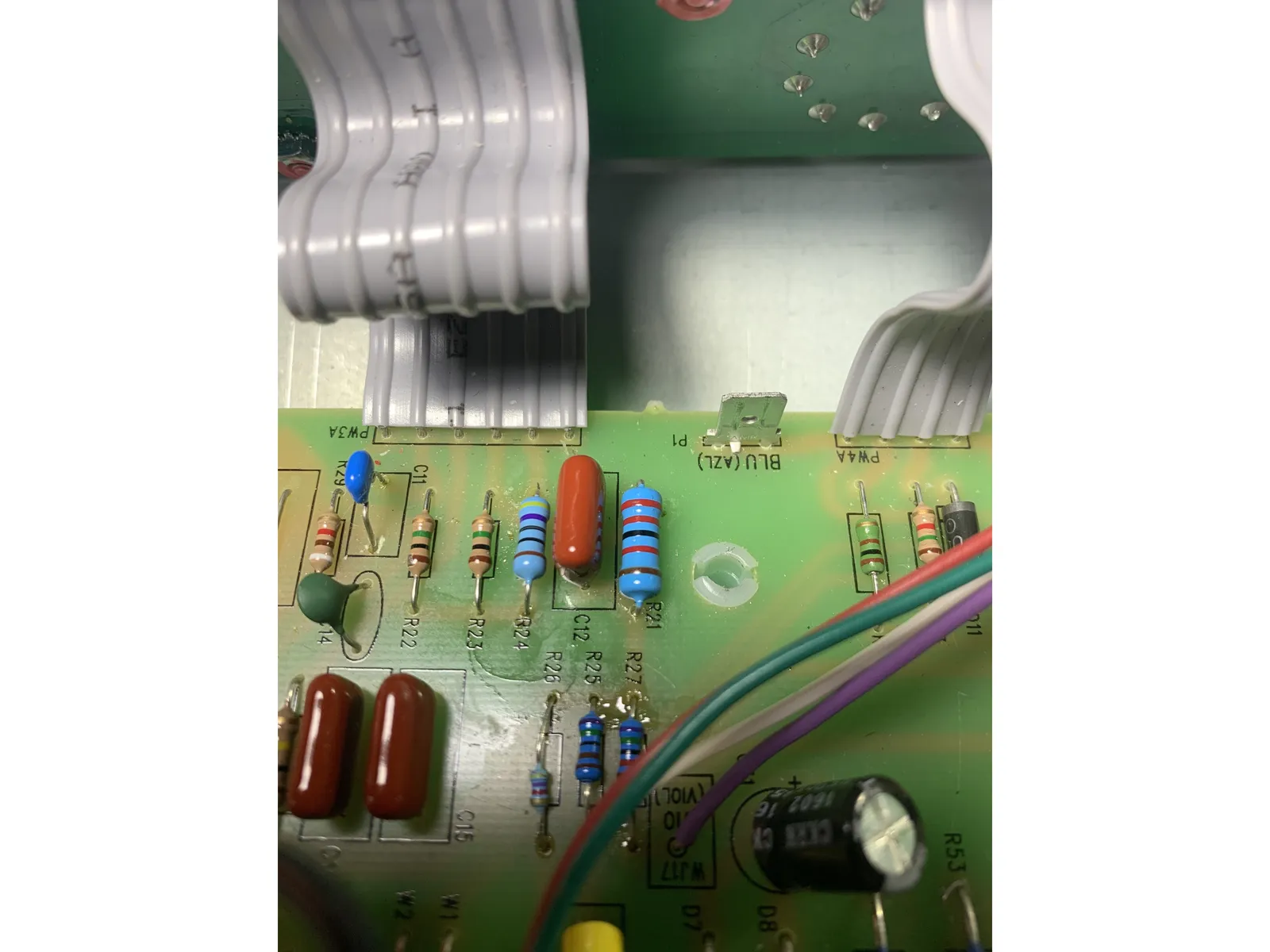
- Changes the phase inverter to vintage black panel values
- Remove C11, R24, & R21
- Put the 100pf( .001uf or 102) cap in C11, 470 ohm resistor in R24, & 1W 22K resistor in R21
15
Filter caps & power supply
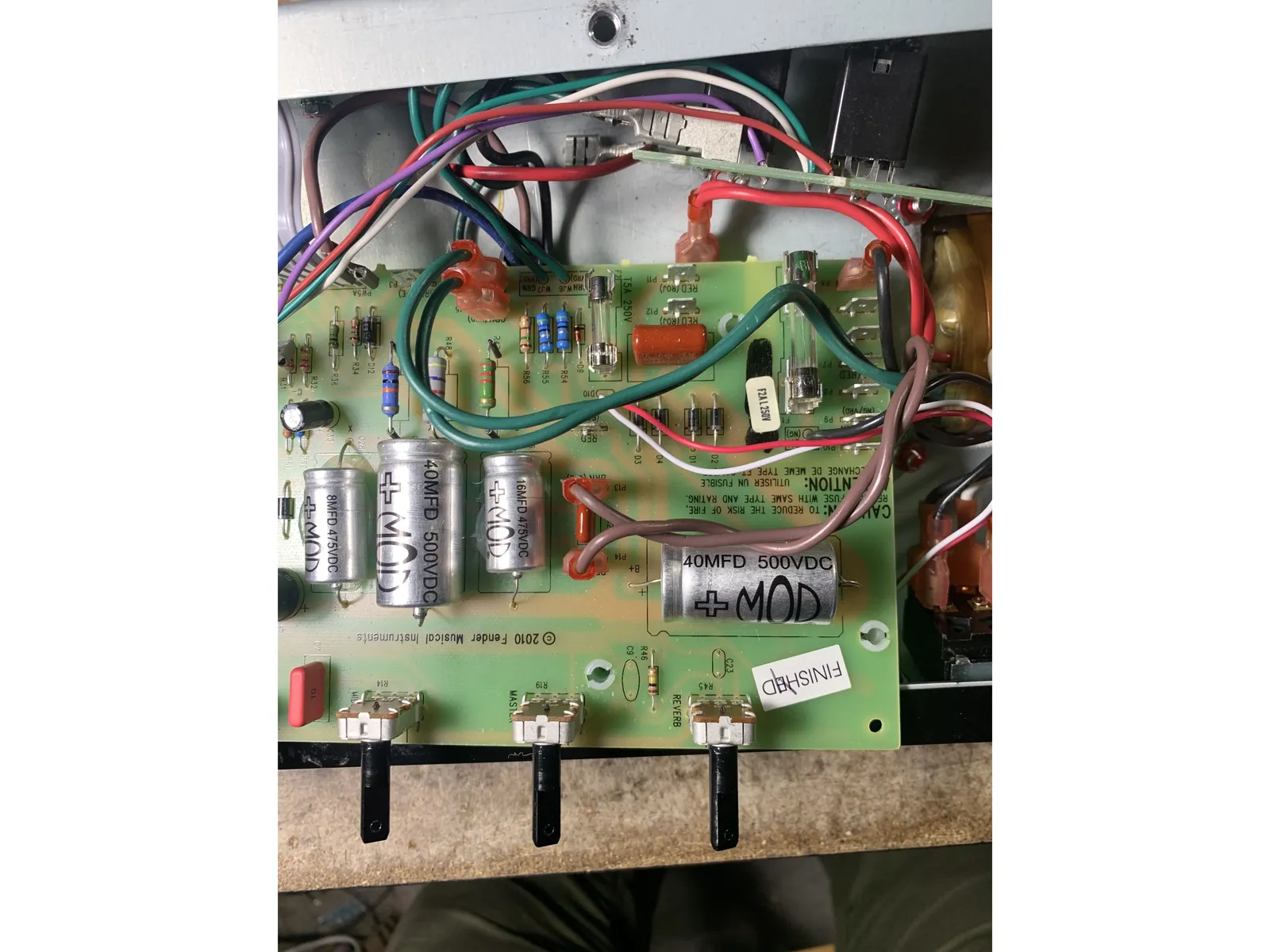
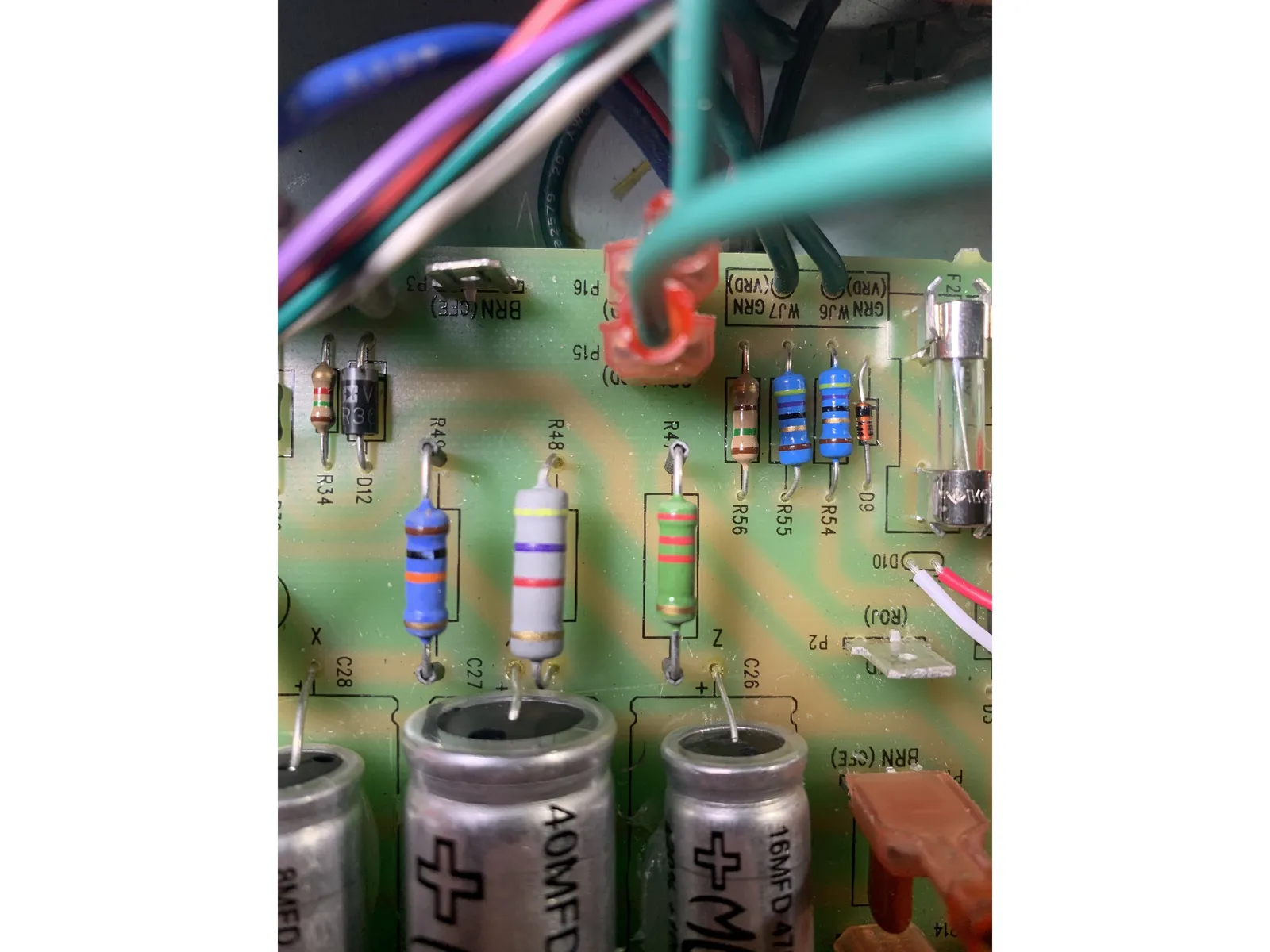
- Remove C25, C26, C27, & C28
- Install 40uf in C25, 16uf in C26, 40uf in C27, and 8uf in C28. It's best to use a dab of silicone RTV to secure these caps to the PCB.
- All of the caps in this step are high voltage( 400V+) caps
- Remove R48 and Replace with 2W 4.7k resistor. Mount it so that there's 1/2" between the resistor and the PCB, just the same as the resistor removed.
- The caps in this step are polarized and it's very very important to install them correctly - as in the photo with the ridged side on C25 facing away from the power transformer and the ridged side on the rest facing the tubes . The PCB is marked with an outline of a ridged cap as a guide as well.
16
Input jack
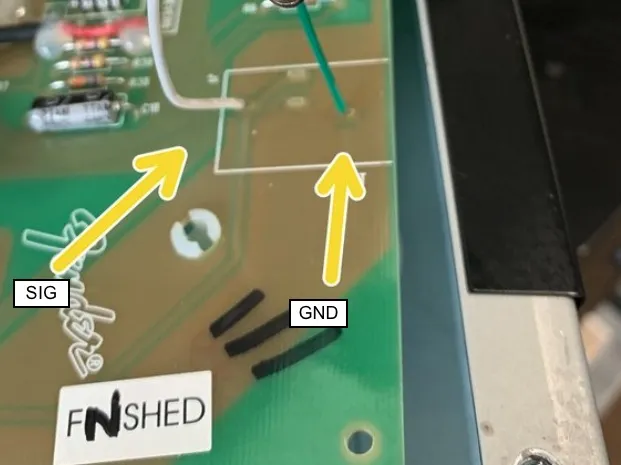
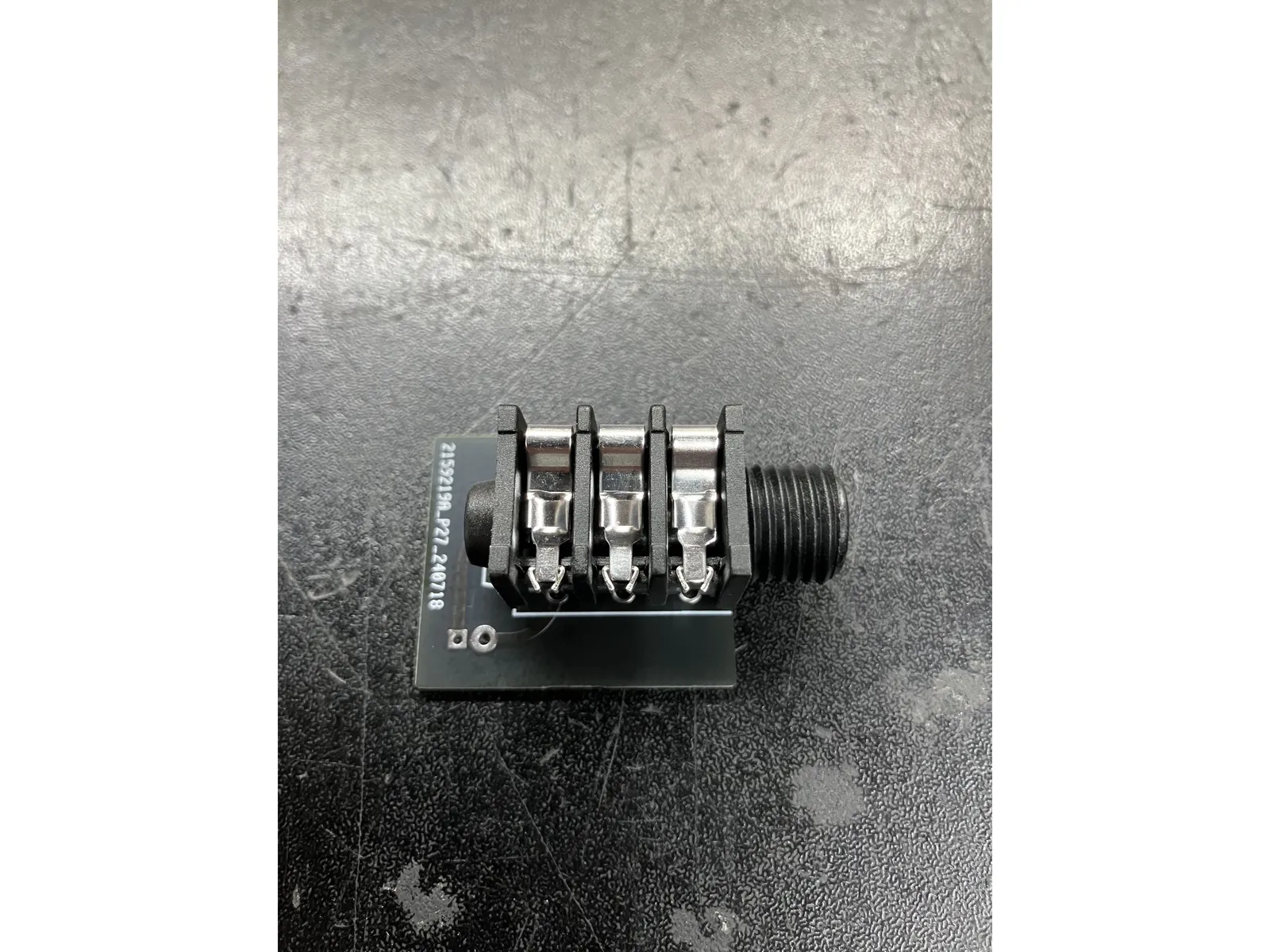
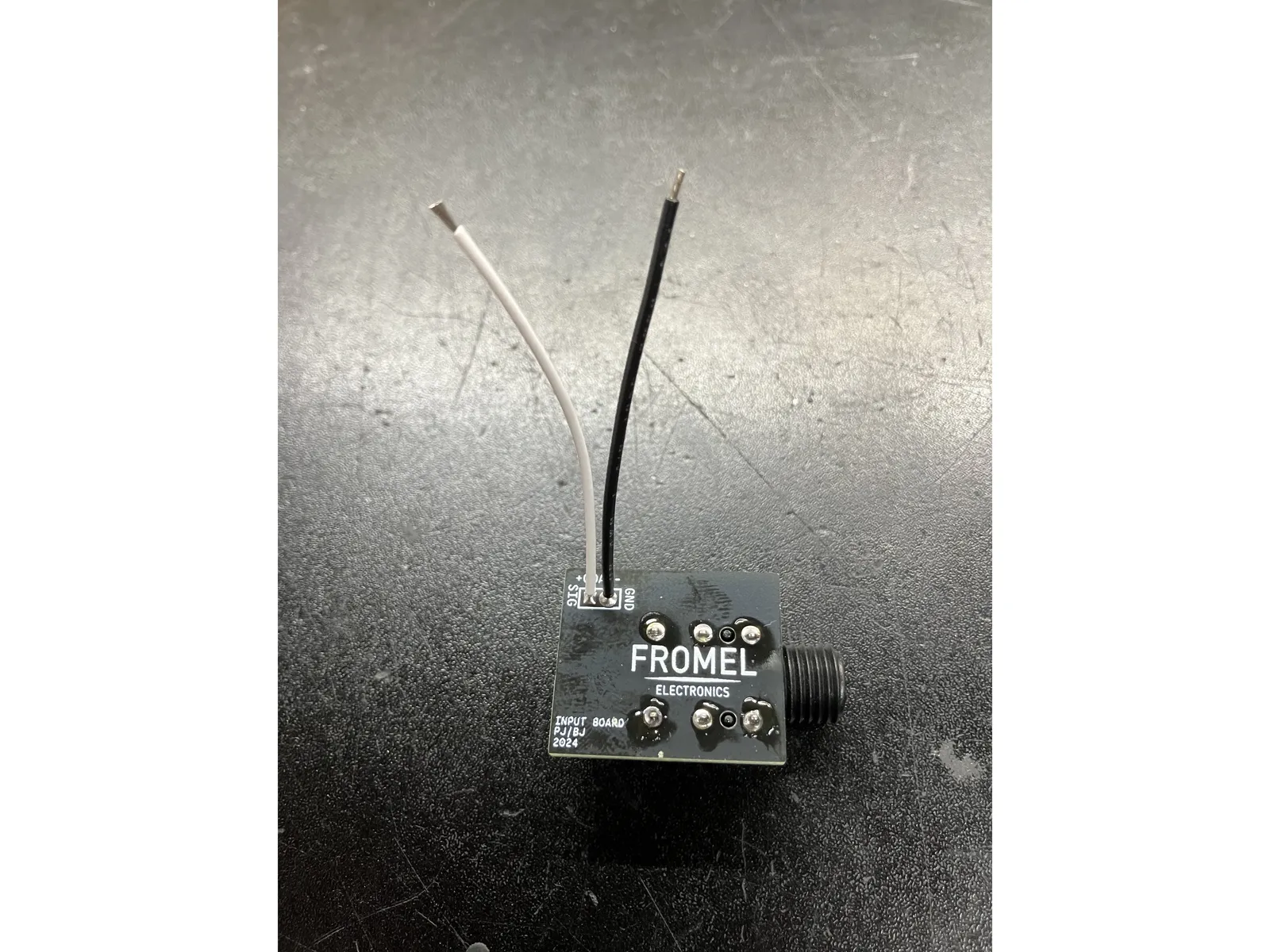
- Remove input jack. This part is snapped into the PCB and then soldered. I find it's easiest to remove the solder from the back side first and then remove the jack.
- Solder the jack to the jack PCB oriented as shown in the photo with the jack outline side being where the jack is mounted.
- Attach leads to the jack PCB at SIG and GND
- Connect the leads from the jack PCB to the Blues Jr main PCB at the points shown in the photo
- If you've already installed the Supreme kit you'll have changed the input jack, either to a Switchcraft style that the older version of the Supreme kit used or the newer version here. No need to change it, but if you have the Switchcraft you're welcome to if you want!
17
Done?
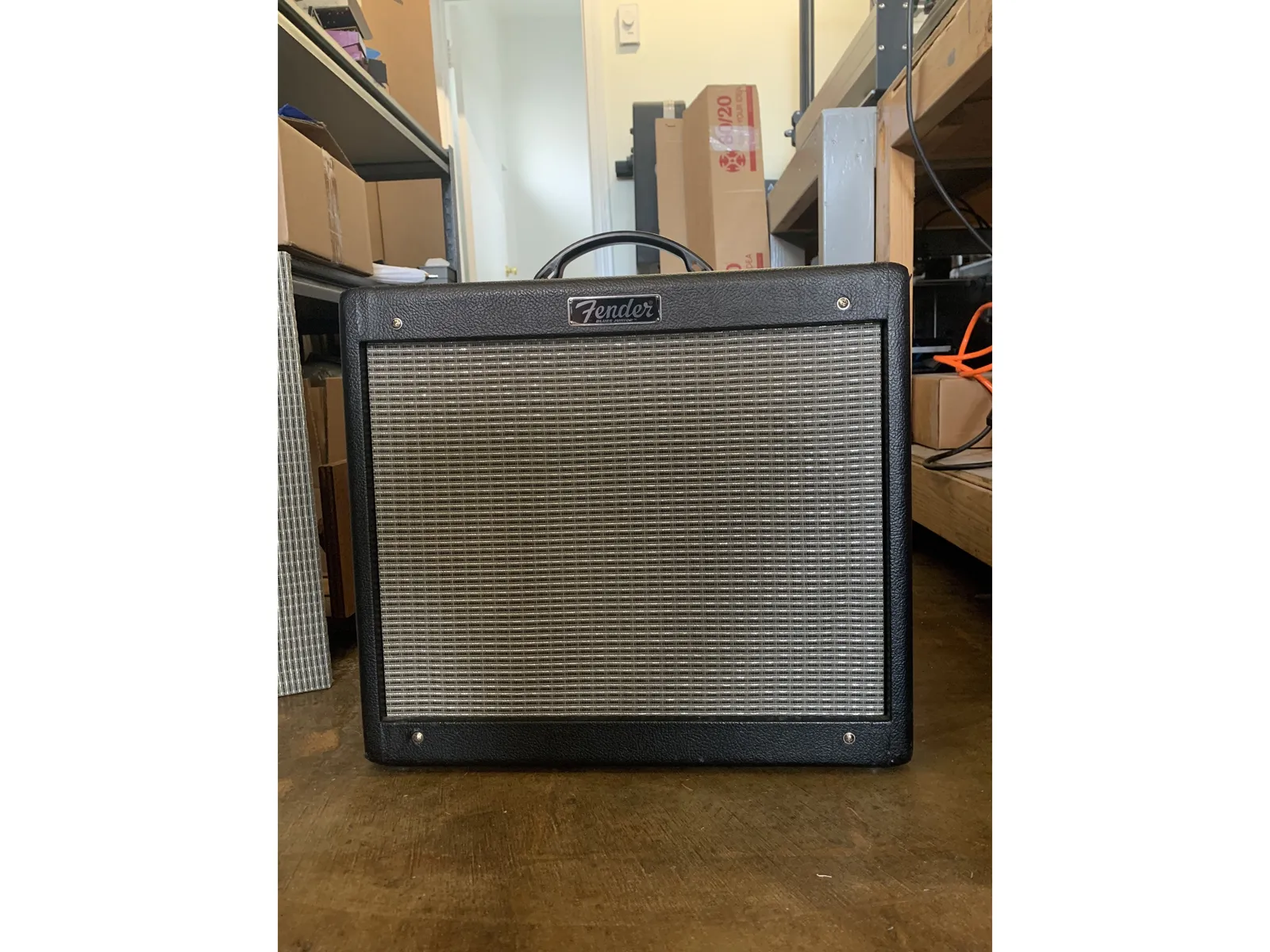
- If you purchased additional mod kits refer to those now BEFORE starting to put your amp back together.
- Carefully put the PCB back in place making sure that the pots, fat switch, and input jack all line up with the control panel and replace all the PCB mounting screws. Put the tube PCB back in place making sure to not stress the ribbon cables while doing so and that there are no kinks or sharp turns in the ribbon cable
- Dress the transformer leads!! Instead of replacing the cable ties we removed we're going to use standard wiring techniques for proper amp lead dress. Twist all AC pairs together: twist green wires together, red, and brown.
- Reinstall the the small board with the speaker and footswitch jacks, the lock washer goes on the inside between the chassis and the jack. Don't overtighten the nut or you'll strip the threads.
- Reinstall the control knobs and install the nut and washer on the input jack. Replace the back panel and install the washer and nut on the new input jack
- If you are just installing the Straight Six mod kit you're now done! Great job and enjoy your new amp! If you have the Fromel Tube Board installed or want to install it with your Straight Six mods continue on.
18
Installing the Fromel Tube Board with Straight Six
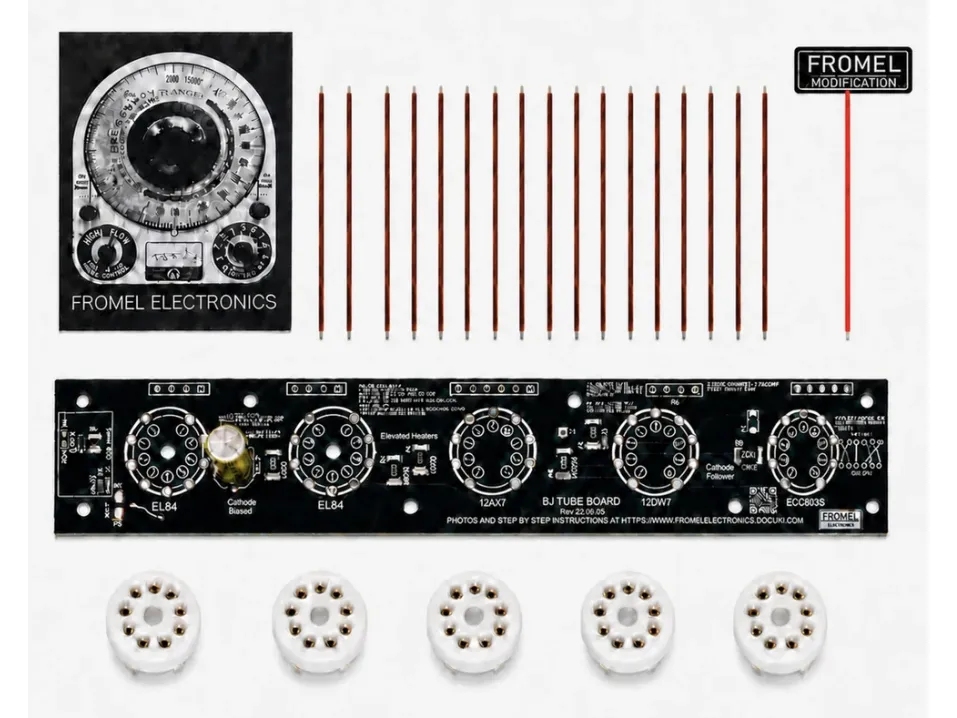
- The following steps will show you how to install the Fromel Tube Board in an amp with the straight Six mods installed. ONLY follow these instructions and NOT the instructions on the Tube Board which are for a stock or Fromel Supreme mod amp
- If you already have a tube board installed on your amp you will need to remove some components from the tube board and also change some of the wiring from the main pcb to the Tube Board
- The Straight Six is only verified to work with Fromel Tube Board version 3.1 and later, most earlier versions should work with these instructions, but may not. If you have the version of Tube Board that uses surface mount components you should replace the Tube Board with a V3.1 or later through-hole Tube Board.
- FOR FOLKS WITH THE TUBE BOARD ALREADY INSTALLED: You will need some additional components to mod your tube board to work with the Straight Six mods. You can purchase the parts as a kit: Fromel Tube Board Straight Six adapter kit
19
Remove tube PCB
- Remove the tube PCB. I recommend using kitchen scissors to clip the ribbon cables, then desolder the two green wires at WJ8 & WJ9 on thee stockk tube pcb near V5.
- Remove the ribbon cable from main PCB. I recommend clipping the lead flush to the board on the solder side, adding leaded solder, then using solder wick remove the solder. The ribbon cable should come off without damaging the pads with a couple jiggles back and forth
20
Fromel Tube Board prep
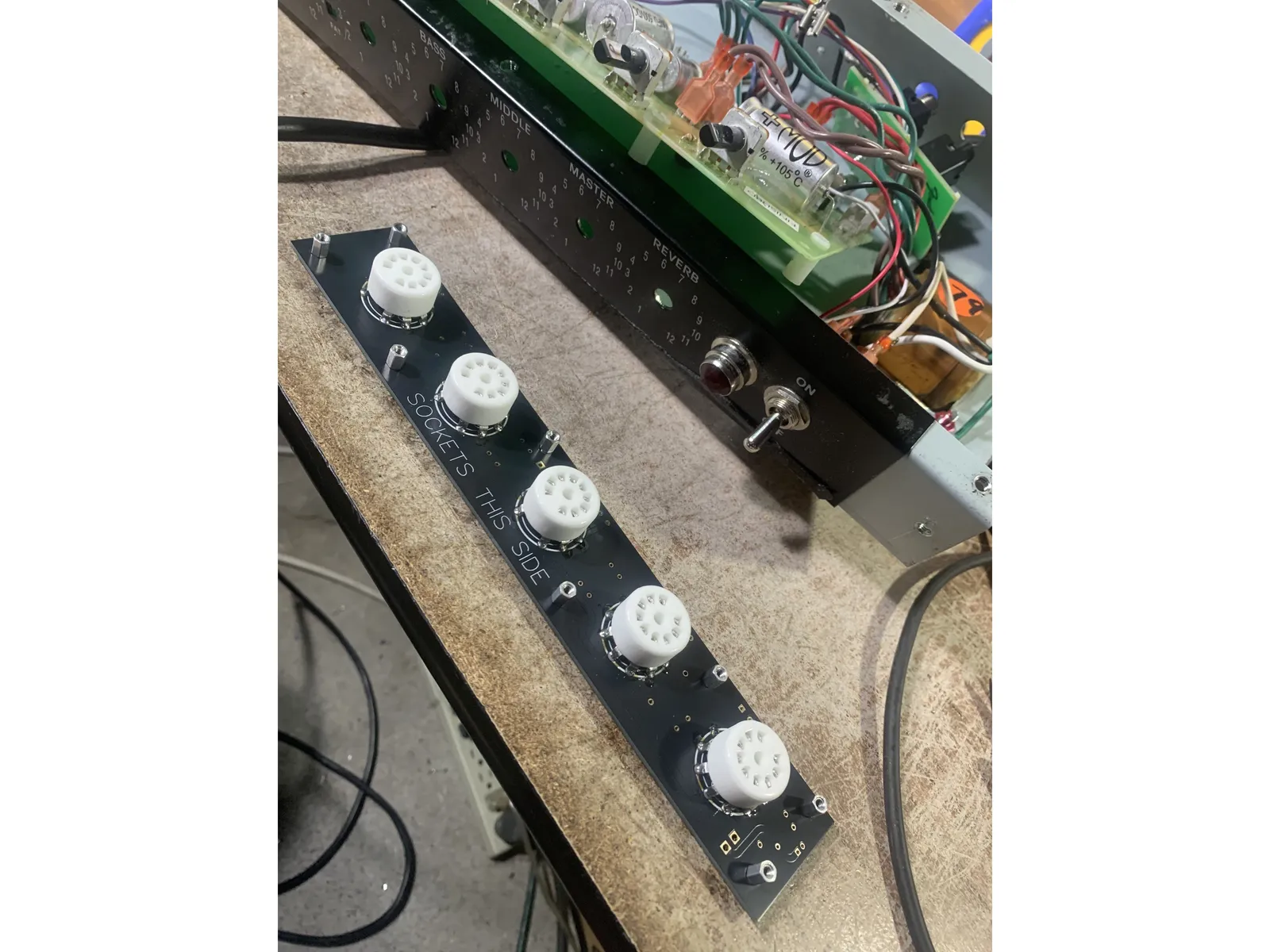
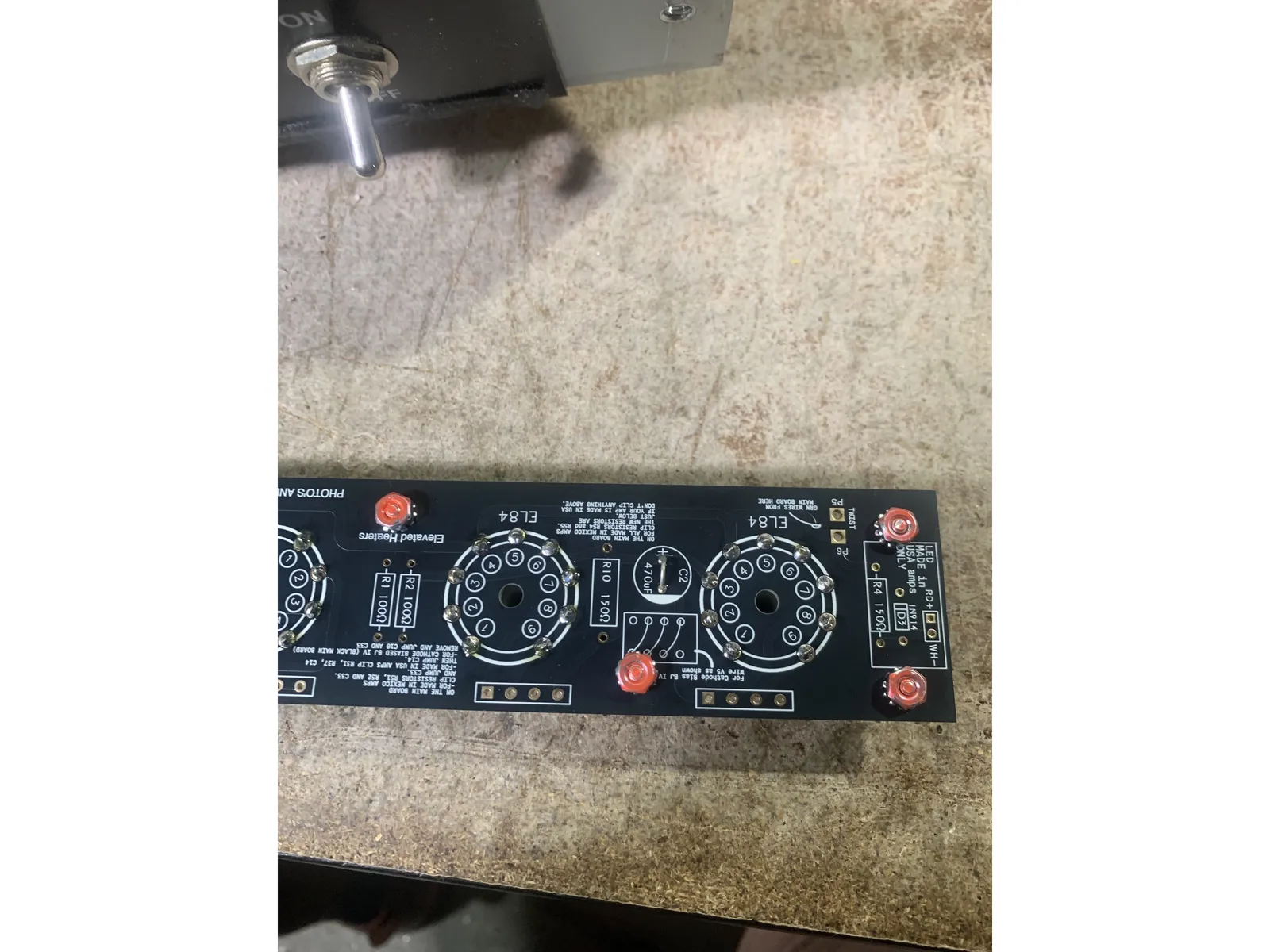
- Remove the standoffs & keps nuts from the stock tube PCB and install them on the Tube Board with the standoff on the tube socket side and the keps nut on the component side
- Solder all the tube sockets on the Tube Board, except for pin 1 on V1. I recommend soldering on the tube socket side. Use a lot of heat for a good solder joint, you'd be hard pressed to damage the socket or Board from too much heat and folks have had issues with cold solder joints here.
- Jumper C2. You can use a cut off lead from a filter cap like the photo or else use the long wire that's in the Tube Board kit, cut into smaller pieces and stripped of course!
- Do not install any of the other components from the kit on the Tube Board.
- FOR FOLKS WITH THE TUBE BOARD ALREADY INSTALLED: If you already have the Tube Board installed and want it to work with the Straight Six mods remove D2, R9, R5, R8, R1, R2, R10, & C2 from the Tube Board and jumper C2.
- FOR FOLKS WITH THE TUBE BOARD ALREADY INSTALLED you'll also need to replace a few parts that were removed from the main PCB in the initial tube board installation that are out of the scope of the Straight Six kit: R51 - 33k 1/4w, R52 - 33k 1/4w, C33 - 100uf/ 25v axial cap, R54 - 100R 1/2w, R55 - 100R 1/2w, & R8 - 100k 1/2W.
- FOR FOLKS WITH THE TUBE BOARD ALREADY INSTALLED can purchase the parts above as a kit: Fromel Tube Board Straight Six adapter kit
- FOR FOLKS WITH THE TUBE BOARD ALREADY INSTALLED: then just continue on with the rest of these instructions
21
Install Tube Board
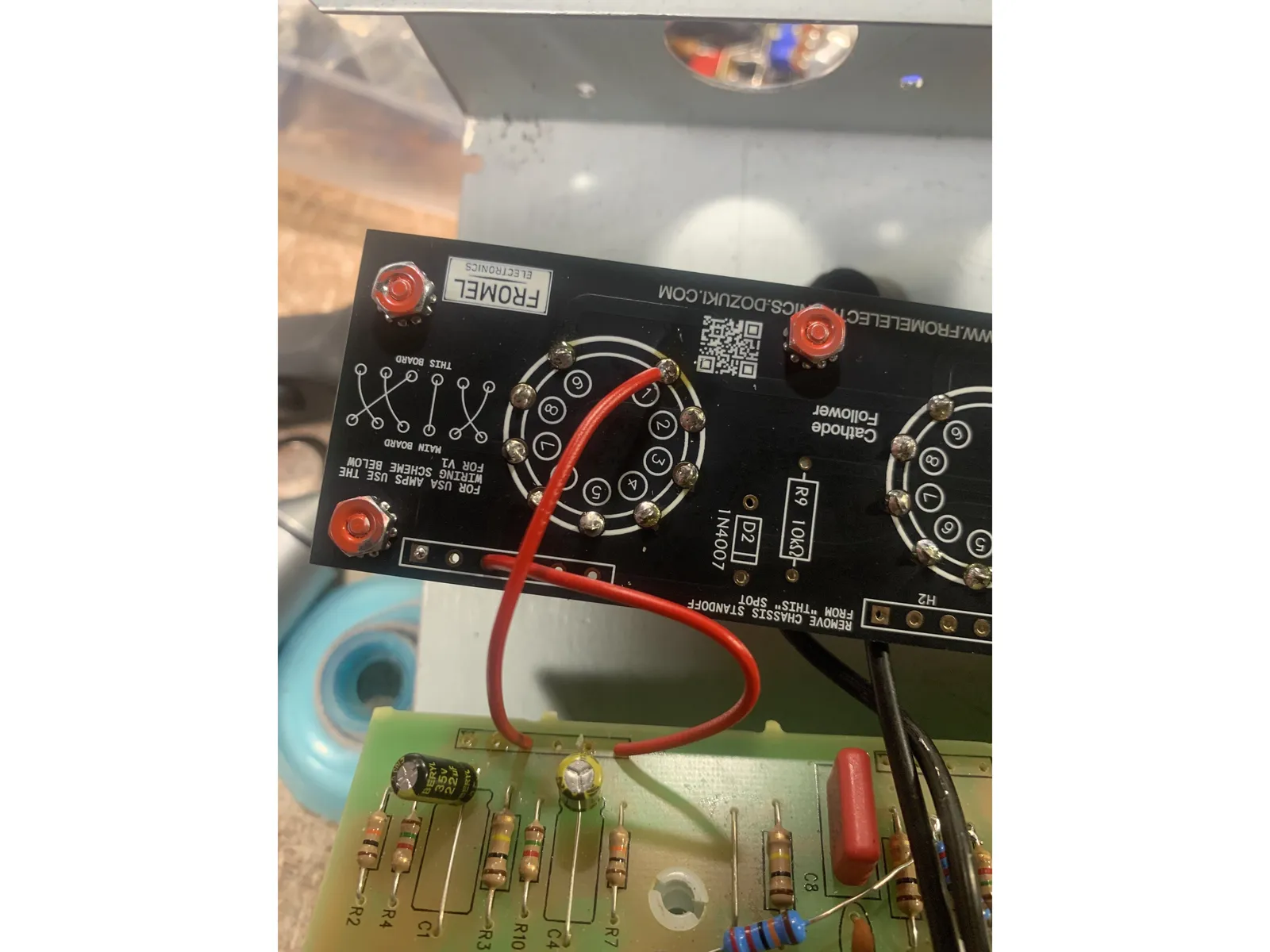
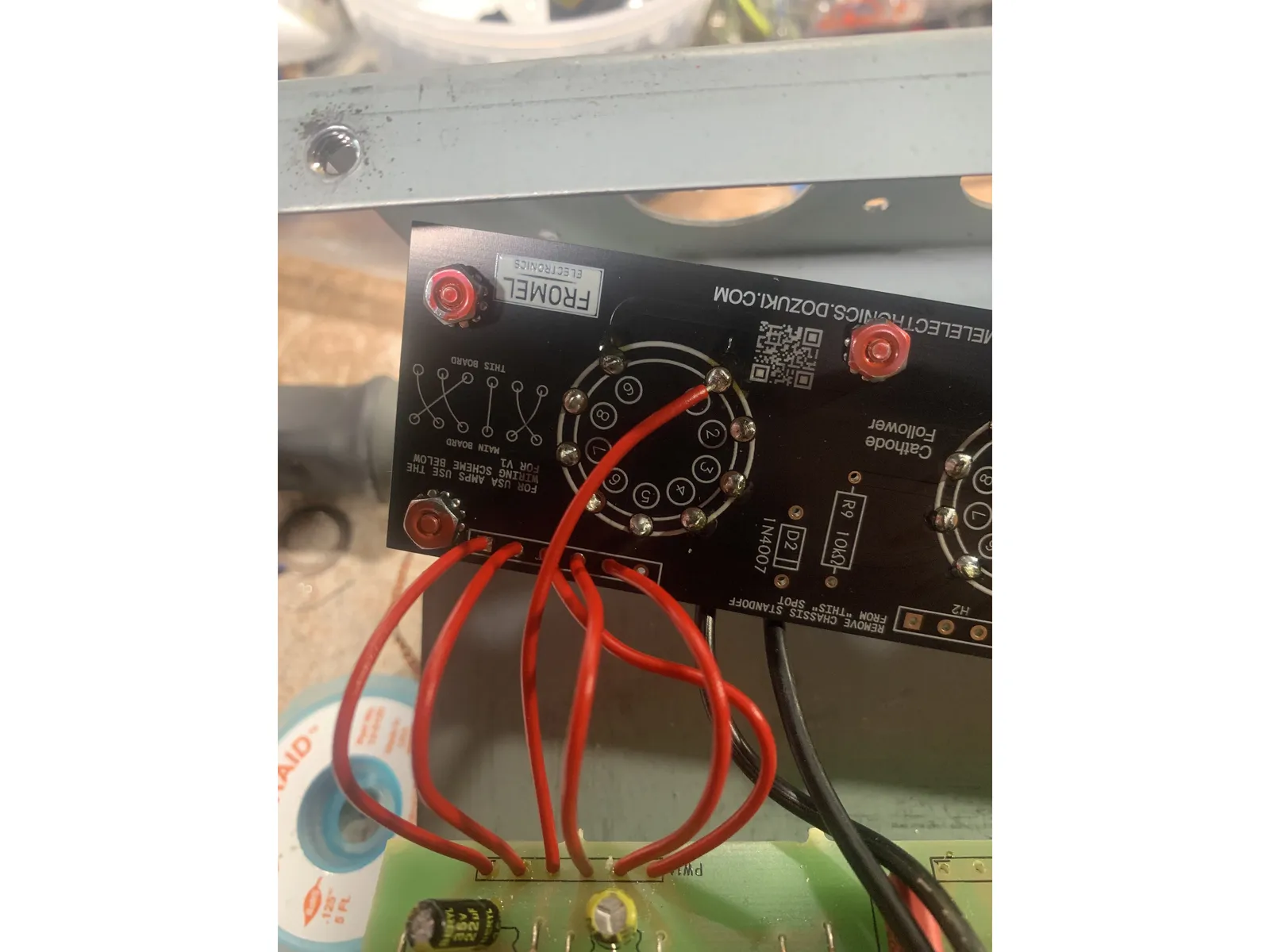
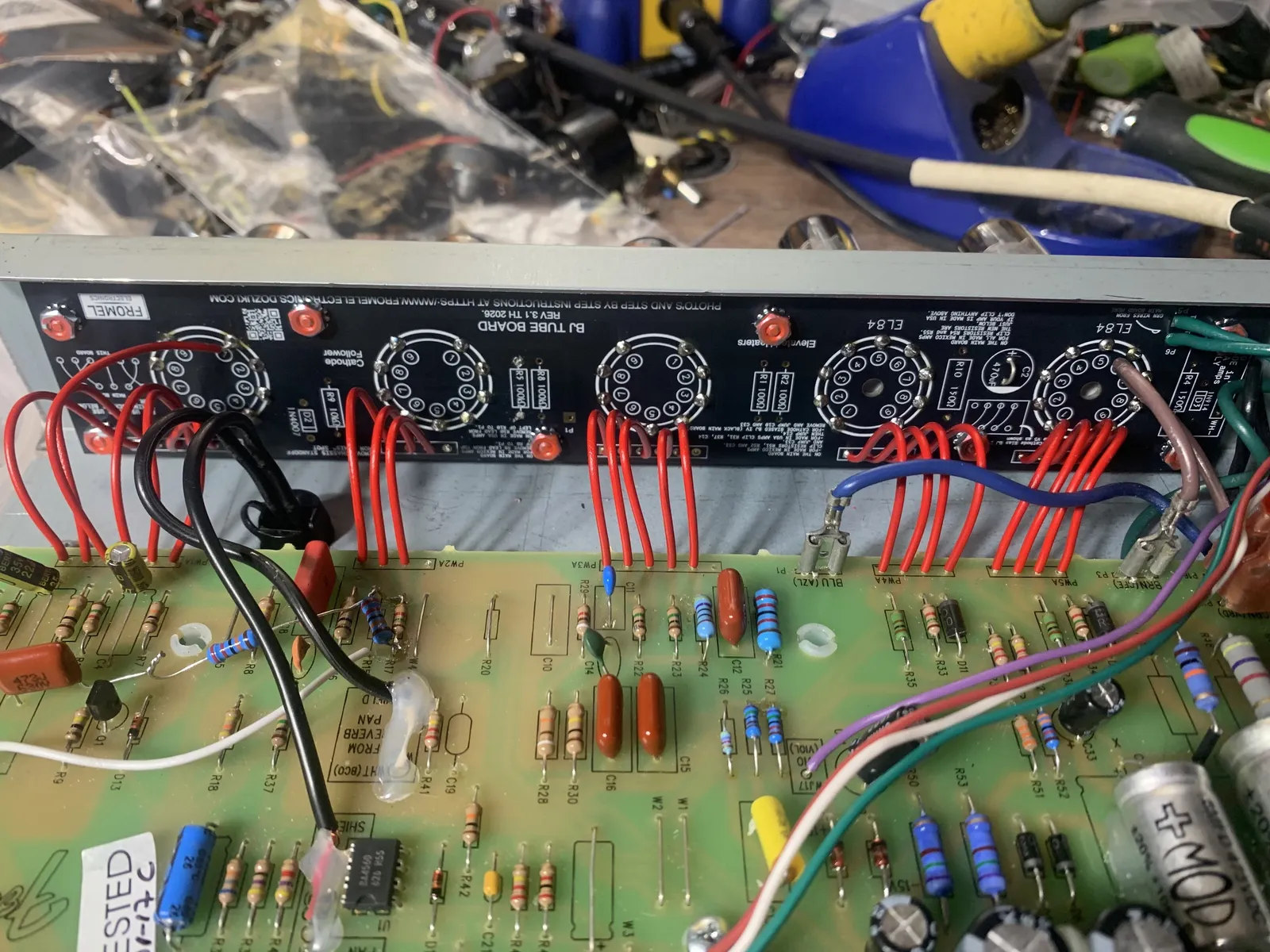
- The first ribbon cable connection on the main PCB side is called PW1A and on the tube PCB side it's called PW1B. The next connection to the right is called PW2A and PW2B respectively, and so on. The connections are numbered from left to right( with the control panel facing you) with the first being PW1A-1 to PW1A-6, and so on for each ribbon cable
- Solder 80mm lead from PW1A to tube pin 1 on V1. Solder 80mm lead from PW1A-6 to PW1B-3 on the Tube Board. See pic. Don't worry this is the only oddball one.
- Solder 80mm leads PW1A-1, 2, 4, & 5 to PW1B-1, 2, 4, & 5. Solder all the rest one to one( like these for V1), except PW2A-4/ PW2B-4 which you need to leave empty. See Pic.
- Solder the two green heater wires that run from WJ6 & WJ7 on the main pcb to P5 & P6 on the Tube Board
- I find it's easiest to just do a few of these connections at a time, usually just each group
- That's it for the instructions! Refer back to step 17 on putting your amp back together and ENJOY YOUR NEW AMP!