Amp Mods · Pro Jr. Standby Switch Mod
Fender Pro Jr Standby Kit
Thanks for purchasing the Fender Pro Jr. Complete Modification Kit. After these simple changes you amp should sound far better than it does now.
Optional Tools/Supplies:
- Silicone glue.
- Fine point Sharpie or similar permanent marker.
- Masking Tape
Skills required:
- Basic soldering skills including how to tin a lead.
- Basic knowledge of electronics.
- The Ability to follow instructions.
Parts
- Carling 3-way Progressive Switch
- Power Resistor (for draining the power capacitors if necessary)
Tools
- Temperature Controlled Soldering Iron and Solder
- Solder Sucker and or de-soldering braid
- Multi-Meter Capable of reading 500V DC
- Phillips Screwdriver
- Pliers with insulated handle
- Wire Cutters
- Safety Goggles
- Alligator Leads
- 9/16” nut driver or socket wrench.
1
Step 1
- WARNING: Performing these modifications WILL void the warranty on your amplifier. Working on amps can be deadly if you do not take proper precautions. Follow these instructions very carefully. If you are at all unsure of your ability to perform these modifications STOP and take your amp to a professional to be modified. You can also send your amp to me for modification.
- No Warranty: This kit and the instructions included do not include any warranty of any kind. The modifications to your amplifier are at your own risk and you agree to completely hold harmless the seller of this kit against any and all claims. Tube
2
Prep the Amp
- Instructions: Follow these instructions to the letter.
- It’s a good idea to have all the parts and tools you will need laid out before starting in a well lit area.
- Unplug the Amp and put on your safety goggles.
3
Step 3
- Remove the chicken head control knobs and the washer holding the input jack with a 9/16” in nut driver or socket wrench.
4
Step 4
- Remove the 6 screws holding on the back panel and remove the panel. If the back panel does not come off easily you can loosen the two chassis screws on the side of the amp about a half turn each.
5
Step 5
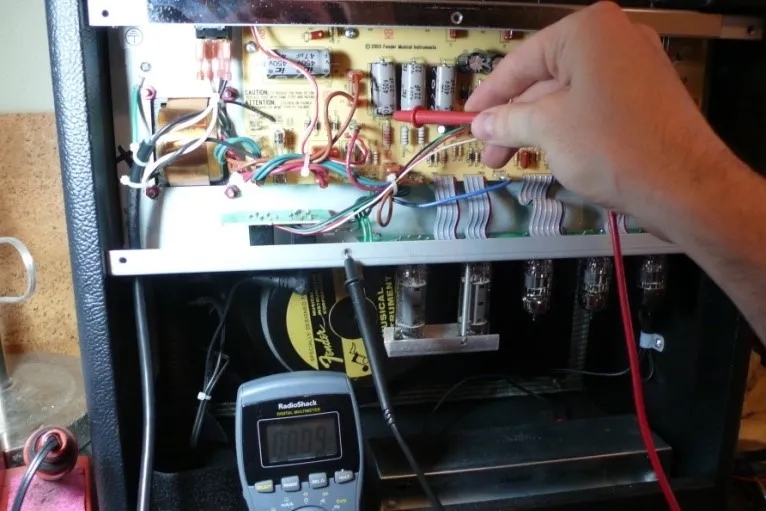
- Drain the Filter Caps: The filter caps on your amp may be drained already but you must follow these steps to insure that any deadly voltage is removed from the amp before you begin work. Test the voltage across the filter caps. Set your multi meter to DC and measure the voltage across the positive and negative side of any of
6
Step 6
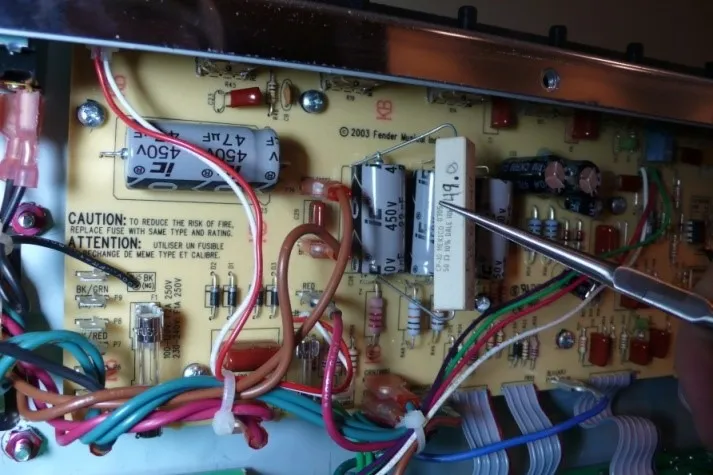
- Using the insulated pliers to hold the power resistor touch one lead of the resistor to the negative side of the filter cap and the other to the positive side, leave the leads in contact with the power resistor for 30 seconds and measure again. Keep repeating this step until the voltage reads below 10V. Pictured is a Blues Jr but the Filter caps on the Pro Jr look the same.
- CAUTION: Capacitors can recharge even when the amp is not plugged in!!! After the filter caps are drained take an alligator lead and clip one end to the positive lead of the filter cap and the other end to the chassis and leave it there until you are done with your work. This will prevent the filter caps from re-charging.
7
Install the New Switch
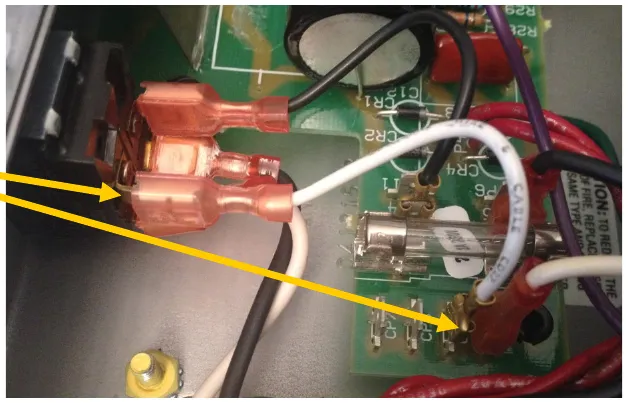
- Remove the short white wire from the switch and CP9. Keep it, it will be used again.
8
Step 8
- Unplug everything else from the power switch and replace it with the Carling Switch from the kit.
9
Step 9
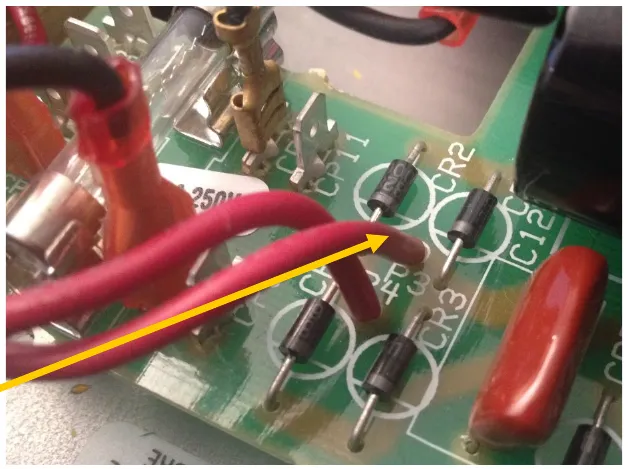
- Remove the board from the chassis. Remove the screws that hold in the board. Gently lower the board, sliding the potentiometer shafts out of the faceplate. DO NOT USE FORCE ON ANY COMPONENTS. You should not need to unplug anything else, but if you do make note of where it goes for reassembly.
10
Step 10
- Desolder the red wire from P3 on the board.
11
Step 11
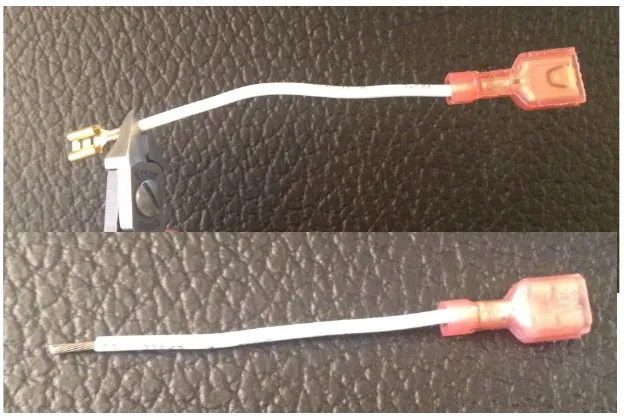
- Cut off the metal end of the white wire from step 1. Strip off 1/4” of insulation. Solder that end into P3, where the red wire was removed in step 4. Re-install the circuit board.
12
Step 12
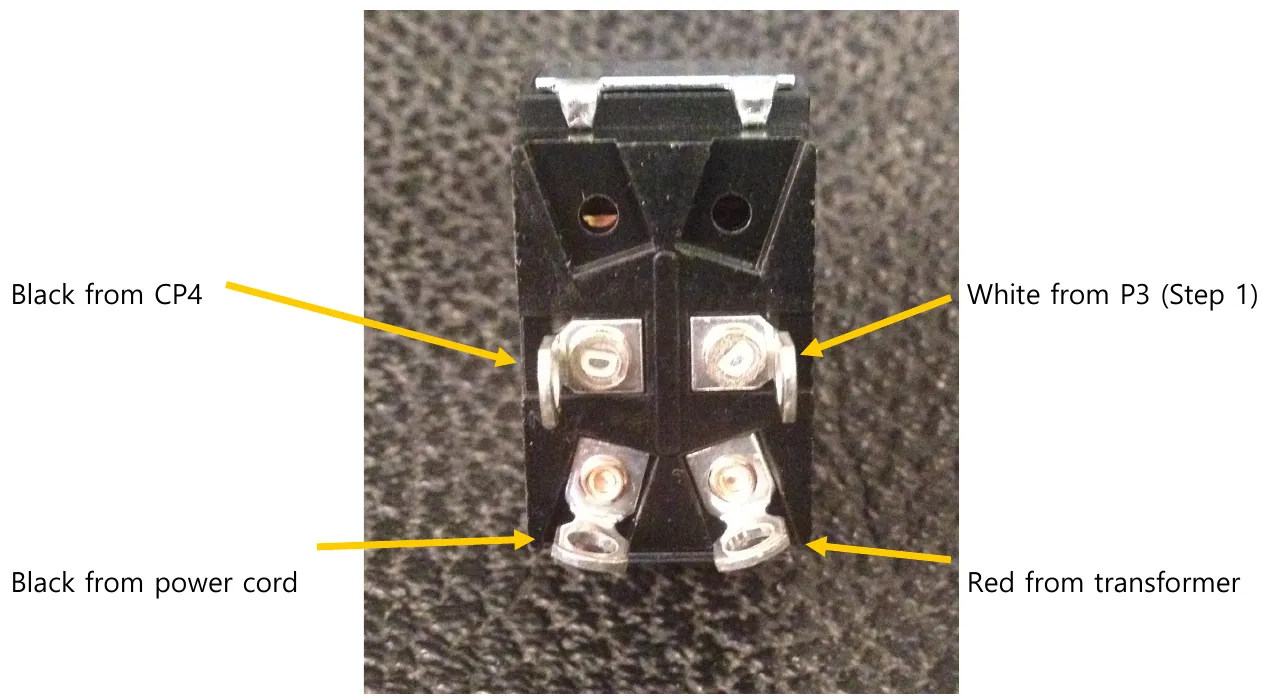
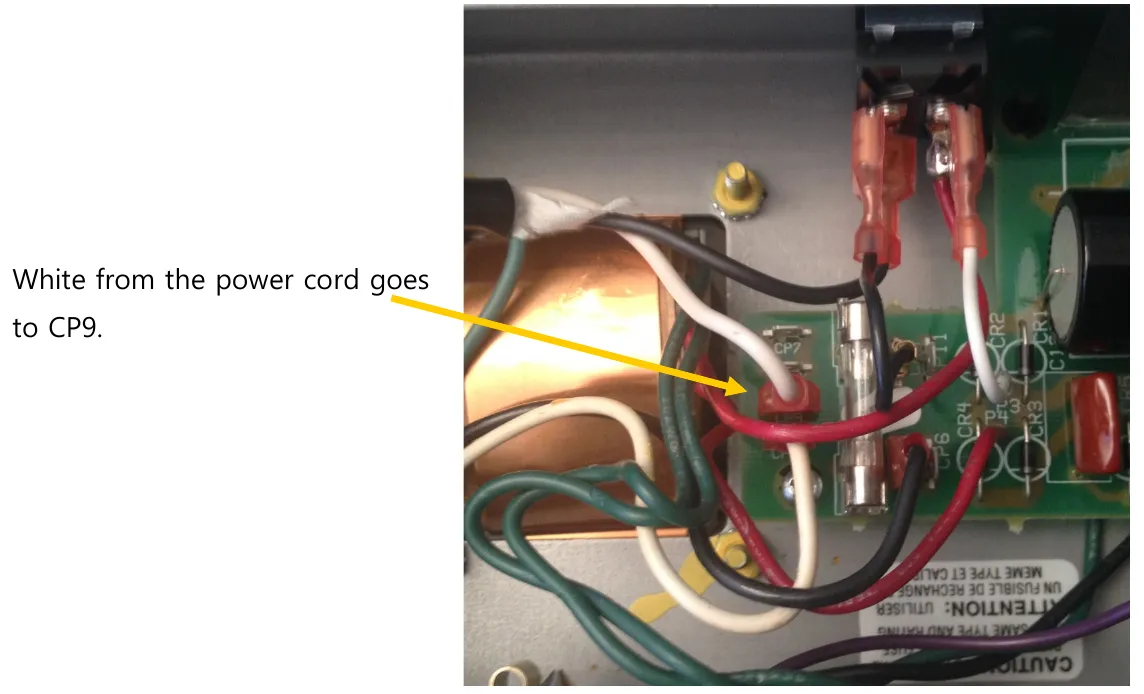
- Install connectors to the new switch:
- Black from CP4
- White from P3 (Step 1)
- Black from power cord
- Red from transformer
- White from the power cord goes to CP9.
13
Putting the amp Back Together
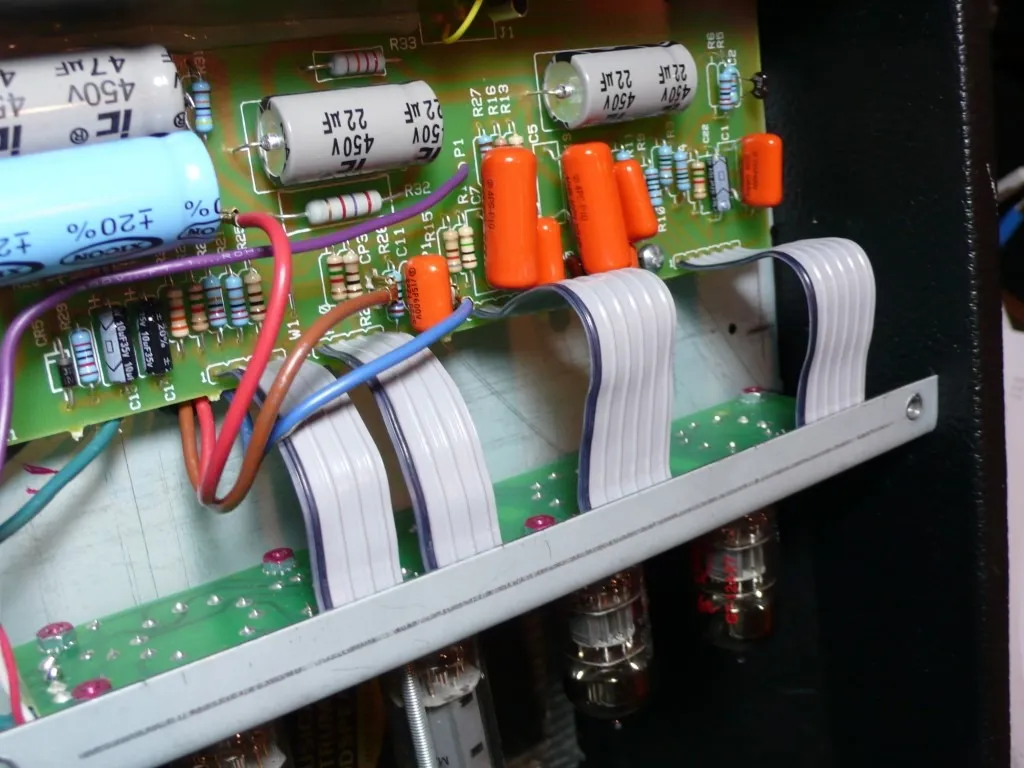
- Make sure all the ribbon cables have a smooth path with no kinks or sharp turns in the cable.
14
Step 14
- Plug the speaker back into the speaker jack.
15
Step 15
- Re-install the control knobs and ithe washer and nut on the input jack.
16
Step 16
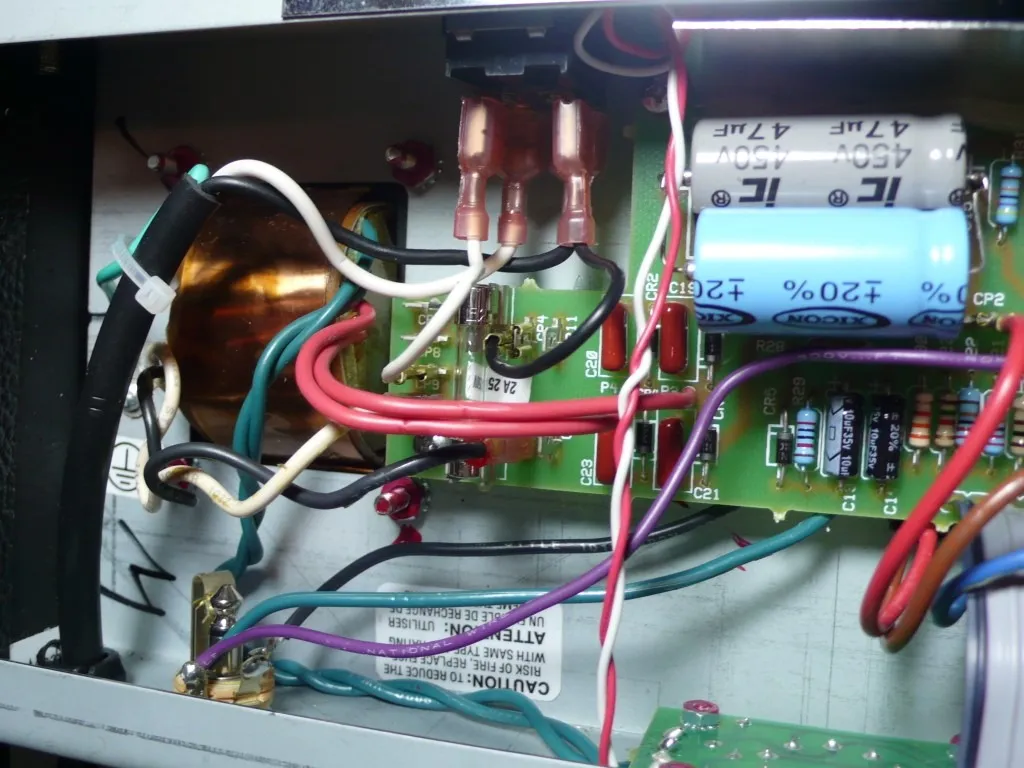
- Replace the back panel and make sure to tighten the chassis screws if you loosened them.